

Some links on this page are affiliate links: we may earn a commission if you enroll, at no extra cost to you. It never affects our scores.
On this page · 9 sections
If you want the short answer: Simply Piano is the more structured, game-like path for a complete beginner who wants the app to decide what comes next, while flowkey is the better fit if you learn best by watching a pianist’s hands and working through songs you actually want to play. Both apps listen to a real piano or keyboard and give feedback on the notes you play. Neither one checks posture, hand position or tone the way a teacher does, so “teaches you to play” really means “teaches you to find the right notes at the right time, and gives you a reason to sit down every day.”
The real differences are in how the lessons are built, how transparent the pricing is, and how much reading of sheet music you end up doing. flowkey publishes its US prices in its help center. Simply Piano says its prices vary by country, store and plan, and shows them inside the app. That alone matters if you are comparing a yearly commitment.
This guide compares the two on the points that decide whether you keep practicing after the first month. For the wider field, including teacher-led video platforms, see our ranking of the best online piano lessons. All prices below come from the official pages consulted in October 2026.
Our picks
- 1
 flowkey Premiumflowkey · From $16.49/mo
- 2
 Skoove Premium (Piano)Skoove · From $12.49/mo
- 3
 Musora Membership (Pianote, Guitareo, Drumeo, Singeo)Musora (Pianote, Guitareo, Singeo, Drumeo) · From $25/mo
Flowkey vs Simply Piano at a glance
| flowkey | Simply Piano | |
|---|---|---|
| Teaching style | Song-first: video of a pianist’s hands plus scrolling sheet music | Step-by-step course path with game-like exercises |
| How it hears you | Listens through your device or a MIDI connection; Wait Mode pauses until you hit the right notes | Listens through the device microphone or a MIDI connection (per its store listing) |
| Practice tools | Wait Mode, slow motion, looping, one hand at a time | Guided lessons that move you forward step by step |
| US pricing published | Yes: Classic $16.49/mo or $99.99/yr; Premium $24.99/mo or $149.99/yr; Family $37.49/mo or $224.99/yr | Varies by country, store and plan; shown in the app |
| Plans | Classic, Premium, Family (up to 5 accounts) | Individual, Duo and Family plans |
| Free option | Free sign-up with a selection of songs | Free download; premium content requires a subscription |
| Certificate | None | None |
A note on the Simply Piano column: the US App Store listing shows in-app purchases ranging from $2.99 to $119.99, but it does not say which price matches which plan length, so we do not quote a monthly or yearly figure for it here. Check the price inside the app before you commit.
How each app actually teaches
flowkey: watch, then play
flowkey’s core screen splits in two. On top, you watch a video of a pianist’s hands playing the piece. Below, the sheet music scrolls in sync. When you switch on Wait Mode, the app listens and holds the music until you play the expected notes, so you can work through a piece at your own speed rather than chase a tempo you cannot keep yet.
The other tools follow from that design: slow motion lowers the tempo, looping repeats a difficult bar, and you can practice the right or left hand alone before combining them. On top of the song library, flowkey offers step-by-step courses on chords, music theory and reading notation, according to its official site.
The strength of this approach is motivation. You can pick a song you recognize, at your level, and get something that sounds like music quickly. The risk is that you copy hand movements from the video and skip the reading. If your goal is to read sheet music on your own, use the courses on notation and force yourself to look at the score, not just the hands.
Simply Piano: a guided path
Simply Piano is organized as a course path. You place your device on the piano, the app walks you through lessons step by step, and it listens to every note you play, according to its official Google Play listing. You move forward when you complete each step, which removes the “what should I practice today?” question that stalls many self-taught beginners.
That structure suits people who want a clear sequence and like a game-style loop of short exercises and quick wins. The trade-off is less control: you follow the path the app sets. Players who already know some basics, or who mostly want to learn specific songs, often find a song-first tool like flowkey less restrictive.
Watch
Note detection: microphone or MIDI
Both apps can listen through your phone or tablet, and both work with a MIDI connection. This sounds like a technical detail, but it decides how often the app “hears” a wrong note you did not play, or misses a chord you played correctly.
A few practical points:
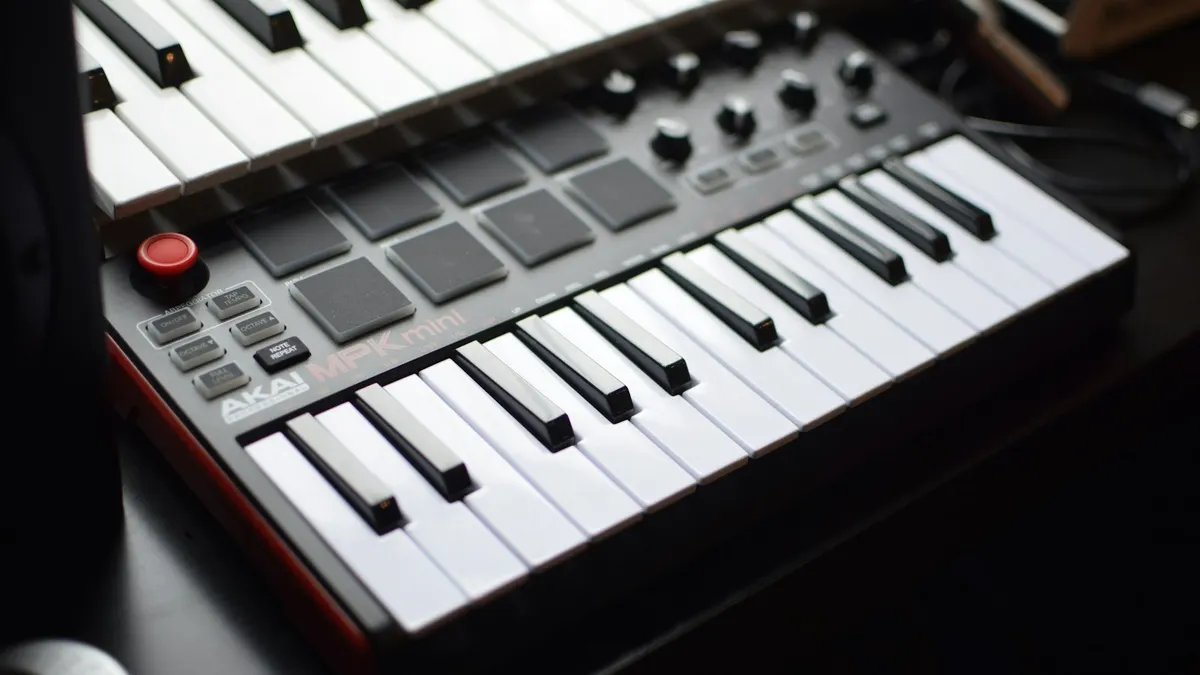
- Acoustic piano: you will use the microphone. Background noise, a TV in the next room or a very quiet touch can affect detection. Test it in your real practice room during the free period.
- Digital piano or keyboard with USB or Bluetooth MIDI: a cable or wireless MIDI link sends the exact notes to the app, which is generally more reliable than a microphone. Check which adapter your device needs before you buy one.
- Feedback limits: correct-note feedback tells you whether you pressed the right keys at roughly the right time. It does not judge finger choice, wrist tension or dynamics. If you have no teacher at all, film yourself occasionally and compare with the pianist in flowkey’s video, or with a lesson from a teacher-led platform.
Pricing: what you pay in the US
flowkey prices
flowkey’s help center lists three plans in the US, consulted in October 2026:
- Classic: $16.49 per month or $99.99 per year. Covers all courses, classical pieces and public-domain songs.
- Premium: $24.99 per month or $149.99 per year. Adds pop, rock and jazz songs, plus film, TV and video game music.
- Family: up to five accounts for $37.49 per month or $224.99 per year.
Prices vary by country and are shown on the payment page before you pay. Subscriptions renew automatically unless cancelled at least 24 hours before renewal, and you keep access until the end of the paid period. Only Premium can be bought through the App Store or Google Play; Classic and Family are sold in the web app. The Google Play listing says the yearly plan starts with 7 free days. Promotions change often: in early October 2026 flowkey’s banner advertised an autumn offer, so check the current banner and the checkout total before choosing a plan.
Simply Piano prices
Simply Piano’s help center says its subscriptions vary in cost depending on your country, the platform you use (App Store or Google Play) and the plan you choose, and that limited-time offers mean the price you see may differ from what others paid. It offers monthly and yearly plans, though the options available to you may vary, and an Individual, Duo or Family plan. Yearly plans are charged upfront and renew automatically.
The practical takeaway: open the app, tap the premium menu and note the exact price and renewal date before you start any trial. If you subscribe through the App Store or Google Play, cancellation and refunds follow that store’s rules.
Which is cheaper?
For a single adult learner who wants pop songs, flowkey Premium at $149.99 a year is the number to compare against the yearly price Simply Piano shows you in the app. If you mostly want classical repertoire and the courses, flowkey Classic at $99.99 a year is the lower-cost route. For households, compare flowkey Family ($224.99 a year for up to five accounts) with Simply Piano’s Duo and Family plans in the app.
Who should pick which app
Choose flowkey if:
- You want to learn specific songs and stay motivated by recognizable music.
- You learn well by watching hands and copying, and you want slow motion and looping for hard passages.
- You prefer published prices and a choice between a cheaper classical-focused plan and a full Premium library.
Choose Simply Piano if:
- You are a complete beginner and want the app to set a clear step-by-step sequence.
- You like short, game-like exercises and quick progress markers.
- You want a Duo plan for two learners.
Consider a third option if:
- You want more explanation of technique from a human teacher on video. Musora’s Pianote membership is built around instructor-led lessons and lists a 7-day free trial, then $30 a month, according to its official site. Our Musora review covers what that includes.
- You want another app with a structured course and published plans. Skoove lists $29.99 a month, $59.99 for three months or $149.99 for a year, with a free tier and a 7-day trial. See how it stacks up in flowkey vs Skoove.

How to test both before paying
Both apps have a free entry point, so use it with a plan instead of tapping around:
- Day 1: set up note detection on your actual instrument. If detection is unreliable on your acoustic piano with the microphone, that is a reason to choose the app that copes better in your room, or to use MIDI with a digital piano.
- Days 2 to 4: in flowkey, pick one song at your level and use Wait Mode, slow motion and one-hand practice. In Simply Piano, follow the first steps of the course path.
- Days 5 to 7: ask yourself which app you opened without being reminded. Consistency matters more than any feature list.
- Before day 7: if a trial converts automatically, cancel the one you will not keep. Note the renewal date the day you start.
Our full flowkey review goes deeper into the song library, plans and limits.
The honest limits of any piano app
Apps are good at three things: giving you a reason to practice, breaking a piece into manageable steps, and confirming that you played the right notes. They are not good at noticing a collapsed wrist, tension in your shoulders, poor fingering habits or flat dynamics. Those problems are easy to build in the first months and slow to fix later.
If you have long-term goals, such as playing classical pieces, accompanying singers or taking graded exams, plan for some human feedback: a few lessons with a local teacher to check posture, or a teacher-led video platform. Neither flowkey nor Simply Piano issues a certificate, and neither replaces a formal music exam.
FAQ
Is flowkey or Simply Piano better for complete beginners?
Simply Piano's step-by-step course path suits beginners who want the app to decide what comes next. flowkey also has beginner courses, but its strength is learning songs with a video of a pianist's hands and Wait Mode. If you are not sure, use the free entry point of each and keep the one you practice with more often.
Can I use flowkey or Simply Piano with an acoustic piano?
Yes. Both apps can listen through your device's microphone, so they work with acoustic pianos as well as keyboards. Detection depends on your room and device, so test it before you subscribe. With a digital piano, a MIDI connection is usually more reliable.
How much does flowkey cost in the US?
According to flowkey's help center consulted in October 2026, Classic costs $16.49 a month or $99.99 a year, Premium $24.99 a month or $149.99 a year, and Family (up to five accounts) $37.49 a month or $224.99 a year. Prices vary by country and promotions change, so confirm the total at checkout.
How much does Simply Piano cost?
Simply Piano says its price depends on your country, platform and plan, and that limited-time offers can change what you see. It offers monthly and yearly plans and Individual, Duo or Family options. The exact current price is shown inside the app.
Will a piano app teach me to read sheet music?
It can help. flowkey shows sheet music alongside the video and includes courses on reading notation, and Simply Piano teaches notes through its course path. You will only learn to read fluently if you actually look at the score, so avoid relying only on the hand video or on-screen cues.
Do I get a certificate from flowkey or Simply Piano?
No. Neither app offers an accredited certificate or a formal music exam. They are practice tools for building skills and repertoire.
Read next


Sources
- https://www.flowkey.com/en
- https://help.flowkey.com/en/articles/4466337-which-subscription-plans-are-available
- https://play.google.com/store/apps/details?id=com.flowkey.app&hl=en_US
- https://piano-help.hellosimply.com/en/articles/2728030-subscribe-to-simply-piano
- https://piano-help.hellosimply.com/en/articles/8343647-choose-an-individual-duo-or-family-plan
- https://apps.apple.com/us/app/simply-piano-learn-piano-fast/id1019442026
- https://play.google.com/store/apps/details?id=com.joytunes.simplypiano&hl=en_US