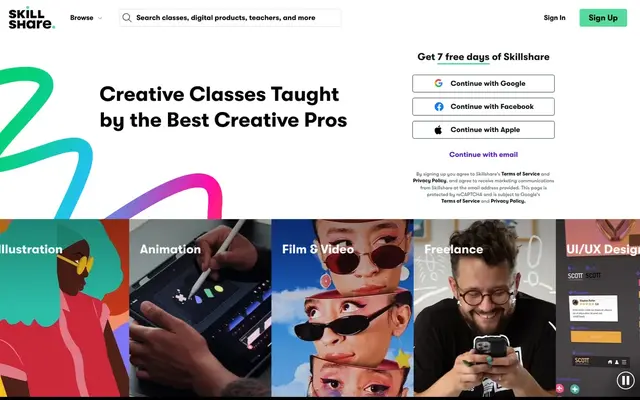
Skillshare Membership
8.4/10Editorial score
- Price
- Free to teach · Members pay $167.88/yr
- Best for
- Creative teachers who want reach without upfront cost.
Teachable is the better choice if you want to run a course business: you set prices, own the student relationship and keep most of each sale. Skillshare costs nothing to publish and brings a creative audience, but pays royalties based on minutes watched rather than sales.
Choose Skillshare if…you teach a creative skill, have no audience yet, want to publish for free and be paid monthly royalties based on minutes watched, plus referral bonuses, inside an established creative community.
 Choose Teachable if…
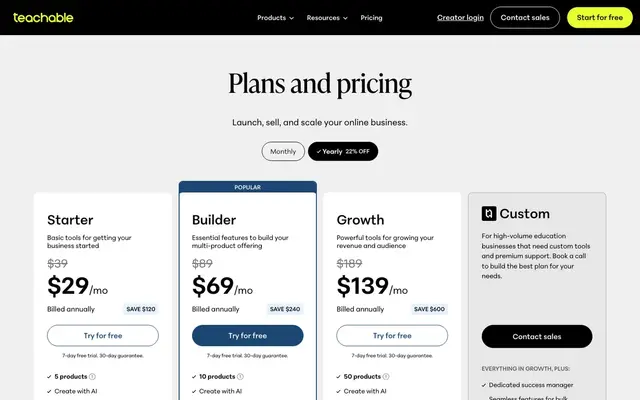
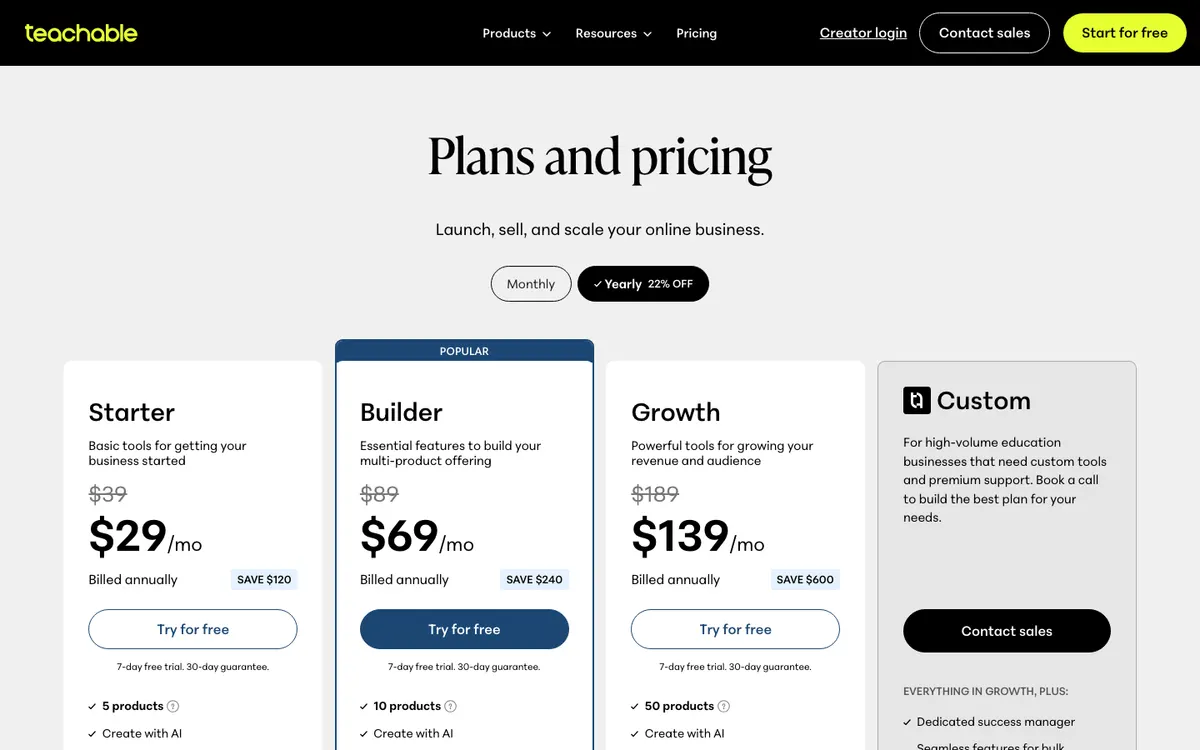
you want to sell courses, coaching or memberships at your own prices, keep the customer relationship, and pay $29 to $139 a month on annual billing for checkout, upsells and student apps.
What tips the choicewhether you want income from your own buyers or a share of a membership. On Teachable, every sale is yours, minus fees. On Skillshare, you never set a price; your earnings depend on how many minutes members watch.
We may earn a commission when you buy through links on this page. Our rankings are based on our editorial criteria; some partners may be featured more prominently. Affiliate disclosure.
| Criterion | Skillshare | Teachable |
|---|---|---|
| Editorial scoreWeighted average of our five criteria | 8.4/10 | 8.5/10Higher score |
| PriceAs published on the official site | Teaching: no cost to publish a class; monthly royalties based on minutes watched, plus a referral bonus. Learners: $167.88 a year, shown as $13.99 a month (October 13, 2026) | Starter $29, Builder $69, Growth $139 a month billed annually; $39, $89 or $189 billed monthly (as of October 13, 2026)Lower starting price |
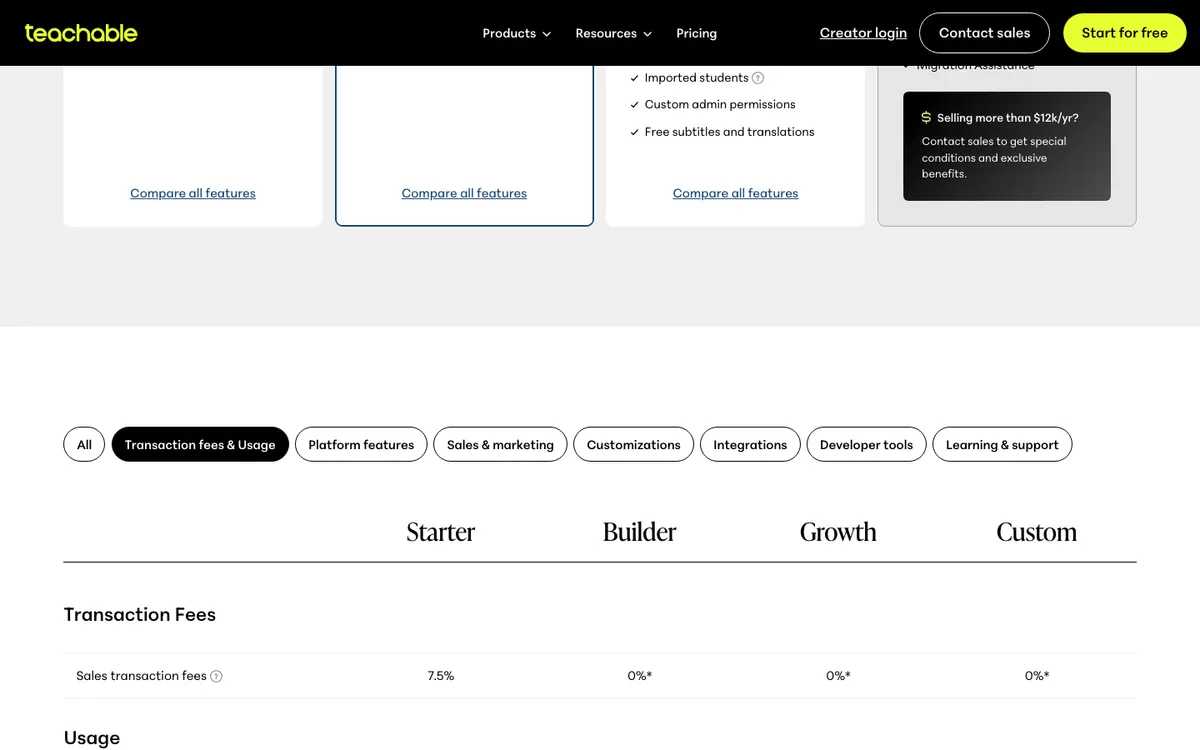
| Payment plansHow the cost can be spread | Learners: annual membership billed in full when the free trial ends | Monthly or annual billing; 7.5% transaction fee on Starter, 0% on Builder and up |
| FormatHow you study | Subscription | Subscription |
| DurationTime to finish or access period | Annual membership with unlimited classes; classes are short video lessons, many under an hour | Subscription. |
| CertificateWhat you receive at the end | Certificates to celebrate accomplishments. | Course certificates feature for your students. |
| Free trialWays to test before paying | 7-day free trial for eligible new subscribers; payment details required, cancel before it ends | 7-day free trial. |
| Refund policyYour way out if it is not a fit | Learners: no obligation to refund subscriptions bought with a free trial of 7 days or more; at most one refund (Skillshare terms) | 30-day money-back guarantee; 7-day free trial; cancel anytime |
| Best forWho it suits | Hobbyists and freelancers who want to sample many short creative classes (illustration, design, video, writing) on one subscription. | coaches, teachers and experts selling their first online course, coaching offer or digital download who want checkout, taxes and a student app handled for them. |
“Not published” means the provider did not state it or we could not confirm it. Program data checked October 5, 2026. Comparison updated October 13, 2026.
Skillshare: Broad project-based creative catalog. · Teachable: Platform for creators; no learner curriculum.
Skillshare: Well-known creative learning platform. · Teachable: Major course-hosting platform.
Skillshare: Free trial; prices unverified. · Teachable: From $29/month annually with promotions.
Skillshare: On-demand classes. · Teachable: Cancel anytime.
Skillshare: Community-based support. · Teachable: Migration assistance and support.
Scores out of 10 from our published method; the overall score is the weighted average.
The two pay creators in opposite ways. Skillshare costs you nothing and pays you a share of a membership. Teachable charges you a monthly fee and lets you keep your sales.
Skillshare’s teaching page says there is no cost to publishing a class. You earn monthly royalties based on the number of minutes watched in your classes, plus a referral bonus for each student you bring to Skillshare. You never set a price: members pay Skillshare, $167.88 a year on October 13, 2026, and teachers who qualify for royalties are paid monthly. Skillshare says its top-earning teachers make $100,000+; that is its own claim about the top, not a typical result.
Teachable’s plans cost $29, $69 or $139 a month on annual billing, or $39, $89 or $189 month to month, when we checked on October 13, 2026. Starter adds a 7.5% transaction fee; Builder and Growth charge 0% with Teachable’s payment setup, though card processing still applies. You set your own prices.
If you can bring buyers yourself, Teachable lets you keep the sale; on Skillshare, a student you refer earns you a referral bonus, not the price of a course. If you cannot bring buyers, Skillshare costs nothing to try.
WinnerTeachable, for creators who can sell; it scores 8.9/10 on value against 8.4/10.
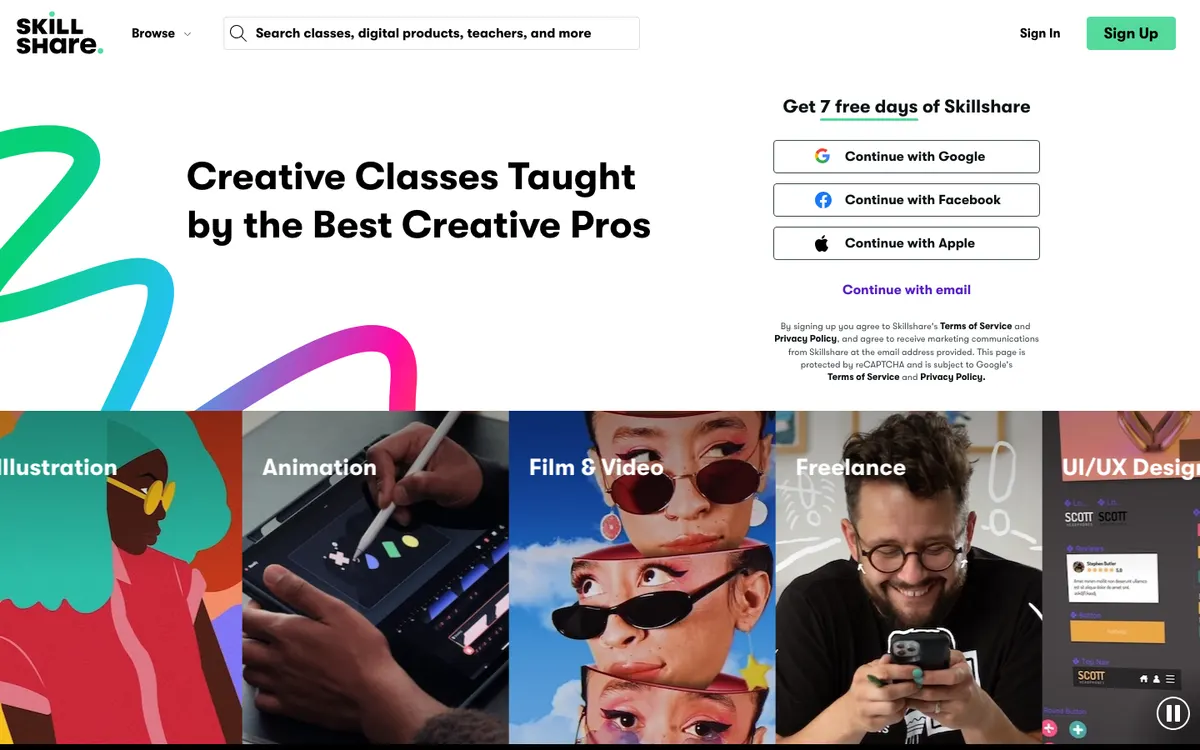
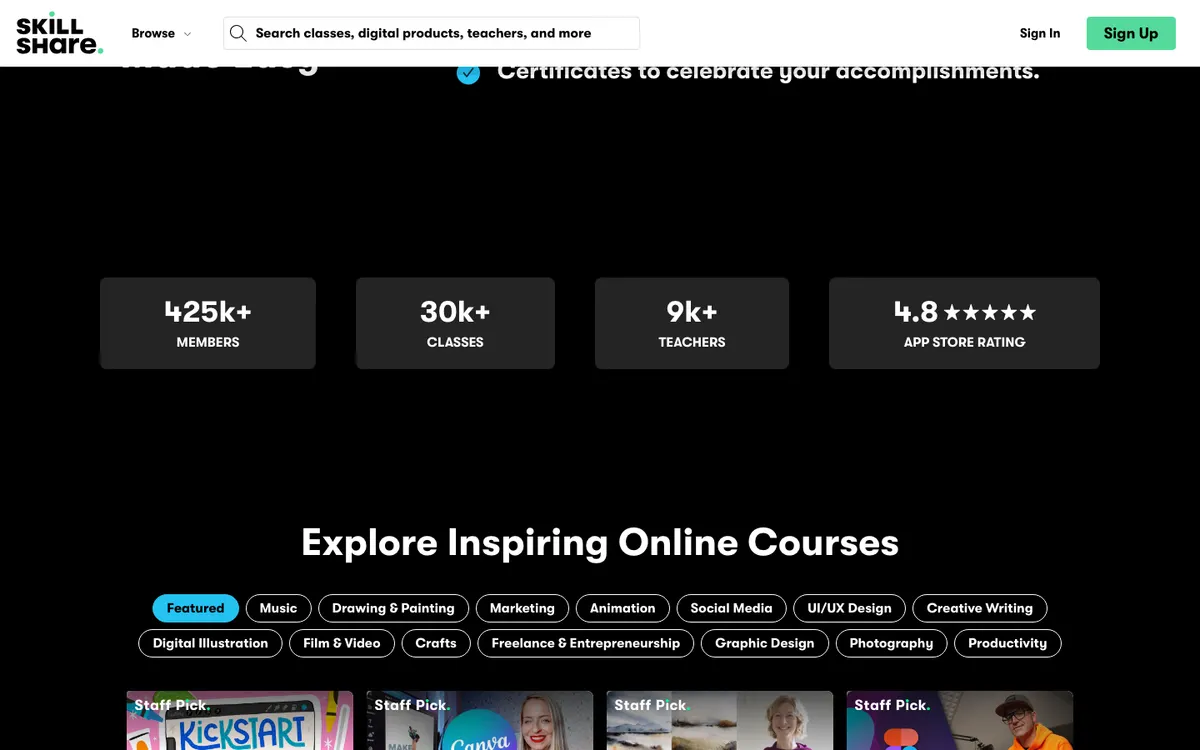
Skillshare’s advantage is its members. Its pricing page says more than 11 million creative people have joined, a company figure, and its catalog of 30,000+ classes is browsed by members looking for creative skills. Skillshare says its classes cover art, illustration, design, freelancing, entrepreneurship, creative career-building and productivity, with art and illustration among the most popular categories, and that evergreen classes can keep earning for years.
Teachable brings you no audience. You get a school, sales pages, an affiliate program from Builder up and built-in email marketing, but the traffic must come from your email list, social media, search or ads.
WinnerSkillshare.
Teachable is your own business. You sell courses, coaching, digital downloads and memberships; run coupons, upsells, order bumps, bundles and abandoned-cart emails; issue course certificates (on Growth); and own the customer relationship. Higher plans add more products, admin users and branding removal.
On Skillshare, you work inside its rules: your class must follow its guidelines, center on a hands-on project and meet minimum audio and video standards, and it sits in the catalog next to everyone else’s. You do not control pricing or the member’s purchase.
Getting started also differs. On Skillshare, you apply to teach and describe what you plan to teach, film your class, publish it with the class upload tool, then stay engaged by giving feedback on student projects. On Teachable, you start a free trial, build your school, configure checkout and test the student experience before your first sale. Some creators may want both: a Skillshare class for reach, a paid Teachable program for income. Check Skillshare’s teacher terms on exclusivity before reusing material, as we did not review them here.
Our credibility scores reflect the platform as a business tool: 8.9/10 for Teachable, 8.4/10 for Skillshare.
WinnerTeachable.
Seen from the learner’s side, Skillshare is the complete product: a membership with 30,000+ project-based classes, Learning Paths, offline viewing in its app, certificates and badges, and a community where students post projects and teachers give feedback. That is why it scores 8.4/10 on curriculum.
Teachable gives you tools to build the experience yourself: lesson comments, drip content, auto-graded quizzes, short-answer assessments and iOS and Android student apps. The quality depends on the creator, and as a platform it has no learner curriculum of its own: 7.3/10.
Both are fully on demand and score 9.5/10 on flexibility.
WinnerSkillshare.
For creators, Teachable offers a 7-day free trial and a 30-day money-back guarantee, and you can cancel anytime. Builder and Growth list real-time support; Custom adds priority SLA-based support and a dedicated success manager. It scores 8.4/10 on support.
Skillshare points teachers to its Teacher Help Center and its community; there is nothing to refund on the teaching side, since publishing is free. For members, its terms say it has no obligation to refund subscriptions bought with a free trial of 7 days or more, and allow at most one refund. It scores 7.3/10.
WinnerTeachable.
SkillshareTeachablePick SkillshareSkillshare charges nothing to publish once you are approved to teach, and its most popular categories include art and illustration. You earn monthly royalties from minutes watched.
Pick TeachableOn Teachable you set the price, add coupons, upsells and order bumps, and pay a 0% platform transaction fee from the Builder plan ($69 a month billed annually).
Pick TeachableTeachable sells courses, coaching, digital downloads and memberships from one school. A Skillshare class is a project-based video class inside its membership.
Other online course platforms options we reviewed, ranked by editorial score.

Career changers with a concrete plan of two or more Coursera certificates, such as a Google certificate followed by a specialization, who can study steadily for a year.
Working photographers, designers and video editors who want a big on-demand library plus live classes they can ask questions in.
Self-directed learners who want one specific course from a named university, and who want to try it free before paying for the certificate.
For building a business, yes. Teachable scores 8.5/10 against 8.4/10 in our review, ahead on credibility, value and support. Skillshare scores higher on curriculum as a learning library, and they tie on flexibility.
Skillshare says teachers earn monthly royalties based on the number of minutes watched in their classes, plus a referral bonus for every student they refer. Teachers who qualify for royalties are paid monthly; publishing a class costs nothing.
On October 13, 2026: $29, $69 or $139 a month on annual billing, or $39, $89 or $189 month to month. Starter adds a 7.5% transaction fee; Builder and Growth charge 0% when you use Teachable's payment setup.
You apply first. Skillshare says its teachers are working professionals, experts and subject enthusiasts, and that once approved, you can publish whenever a class meets its guidelines, including a hands-on project and minimum audio and video quality.
Skillshare is a learning membership: $167.88 a year on October 13, 2026, with a free week for eligible new members. Teachable is not a catalog; each school is run by its own creator, who sets prices and policies.
We score each program on curriculum, credibility, value, flexibility and support, using the provider’s official pages; see how we score. The comparison above was written from these sources and re-checked against the official sites on October 13, 2026. Prices and terms change: confirm them on the official site before you enroll.
SkillshareChecked October 5, 2026
We may earn a commission when you buy through links on this page. Our rankings are based on our editorial criteria; some partners may be featured more prominently. Read our affiliate disclosure.