Best for career changers with a concrete plan of two or more Coursera certificates, such as a Google certificate followed by a specialization, who can study steadily for a year.
Best Online Course Platforms (2026): Top 15 Compared
Our pick is Coursera (9.2/10), best for career changers with a concrete plan of two or more Coursera certificates, such as a Google certificate followed by a specialization, who can study steadily for a year. Alison is free to start.
- Updated October 27, 2026
- Facts checked on official sources
- How we rank
- We may earn a commission
Free to start. Best for budget learners who want to study a work skill for free, try several subjects, and decide afterwards whether a CPD certificate is worth paying for.
We may earn a commission when you buy through links on this page. Our rankings are based on our editorial criteria; some partners may be featured more prominently. Affiliate disclosure. Not sure which fits? Take the 2‑minute quiz.
On this page · 7 sections7 min read
We compared 15 online course platforms available to US learners, using each provider’s official pages. Published prices run from Free to $499. Start with the table for the key differences, then read each program’s section: price, format, credential, what we like and what to watch out for.
Compare at a glance
| Platforms | Score | Price | Format | Trial / refund |
|---|---|---|---|---|
| 9.2/10 | From $59/mo | Subscription | 7-day free trial | |
| 8.7/10 | $299/yr | Hybrid | Not published | |
| 8.7/10 | Not published | Self-paced | Most courses can be audited | |
| 8.7/10 | $15 | Live online | Money-back guarantee | |
| 8.6/10 | Not published | Subscription | One free month | |
| 8.6/10 | From $105 | Subscription | 7-day free trial for new customers | |
| 8.5/10 | From $29/mo | Subscription | 7-day free trial | |
| 8.5/10 | From $82/mo | Subscription | 30-day free trial on every account | |
| 8.4/10 | From $143/mo | Subscription | Free trial | |
| 8.4/10 | $167.88/yr | Subscription | 7-day free trial for eligible | |
| 8.3/10 | Free plan | Self-paced | Yes | |
| 8.3/10 | From $29.99/mo | Subscription | 30-day refund | |
| 8.2/10 | Not published | Subscription | 30-day refund | |
| 8.2/10 | From $19.99 | Self-paced | Personal Plan may start with | |
| 8.1/10 | From $9.99 | Self-paced | No |
Prices and terms as published on each official site (checked October 5, 2026 to October 27, 2026); sales change often. “Not published” means we could not find or confirm it.
The 15 best online course platforms, ranked
In order of editorial score (programs with the same score are tied; their order does not imply a winner).

1. Coursera
Best overallBest for: career changers with a concrete plan of two or more Coursera certificates, such as a Google certificate followed by a specialization, who can study steadily for a year.
Only learners who will finish two or more programs in twelve months should pay $399 up front for Coursera Plus (October 30, 2026); below that, paying $49 to $79 a month for a single program, or Plus at $59 a month, costs less. If you want one university course with a big name on it, edX's pay-per-course model may suit you better. The trade-off: degrees and some programs aren't included, and the 14-day refund on the annual plan revokes any certificate you earned in those two weeks.
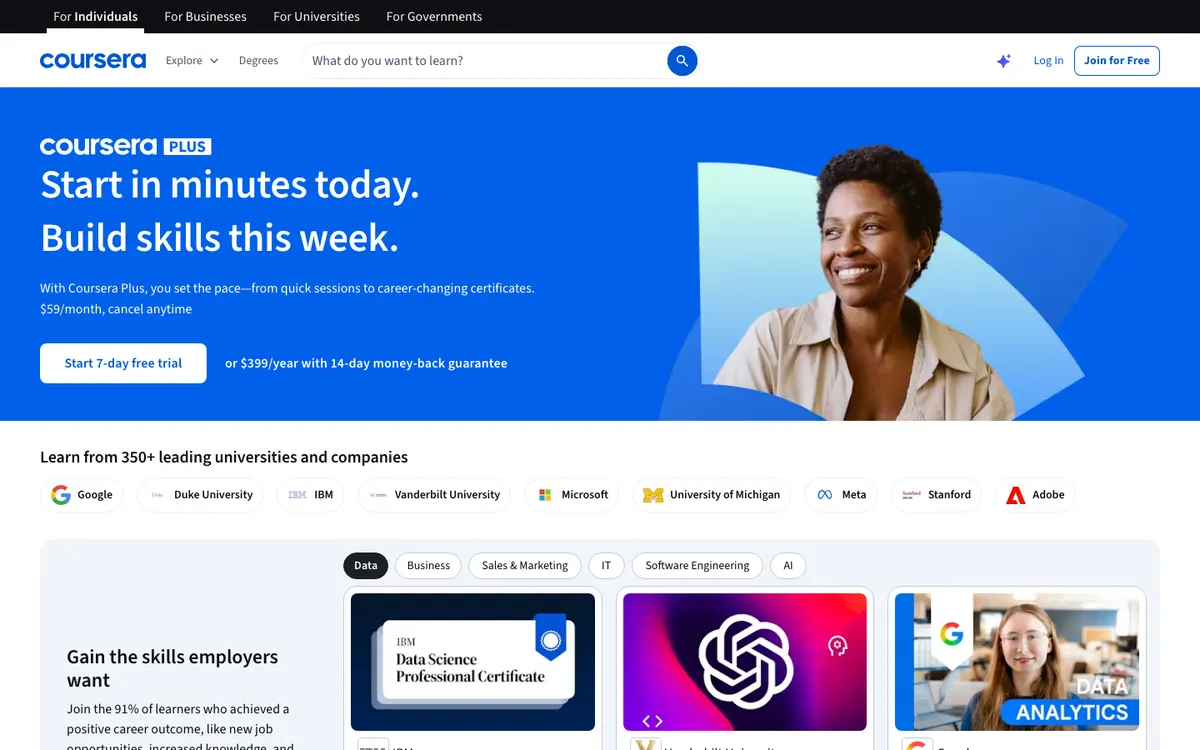
- Unlimited certificates across 10,000+ courses, specializations and professional certificates in the Plus catalog
- Annual price works out to about $33 a month, against $49 to $79 a month for a single program
- Google, IBM and university programs from 350+ partners
- 7-day free trial on the monthly plan and a 14-day money-back guarantee on the annual plan
- Degrees and some programs are excluded; you have to check each one for the Plus badge
- The annual plan is paid up front and only pays off if you keep finishing courses
- Refunding the annual plan within 14 days revokes certificates earned in that window
- Video (independent review): Coursera Plus - is it REALLY Worth the Subscription? (not sponsored) · Alvin the PM - Become a Certified Project Manager
- Compare: Coursera vs CreativeLive · Coursera vs edX · Coursera vs LinkedIn Learning · Coursera vs Skillshare · Coursera vs MasterClass · Coursera vs Udemy
2. CreativeLive
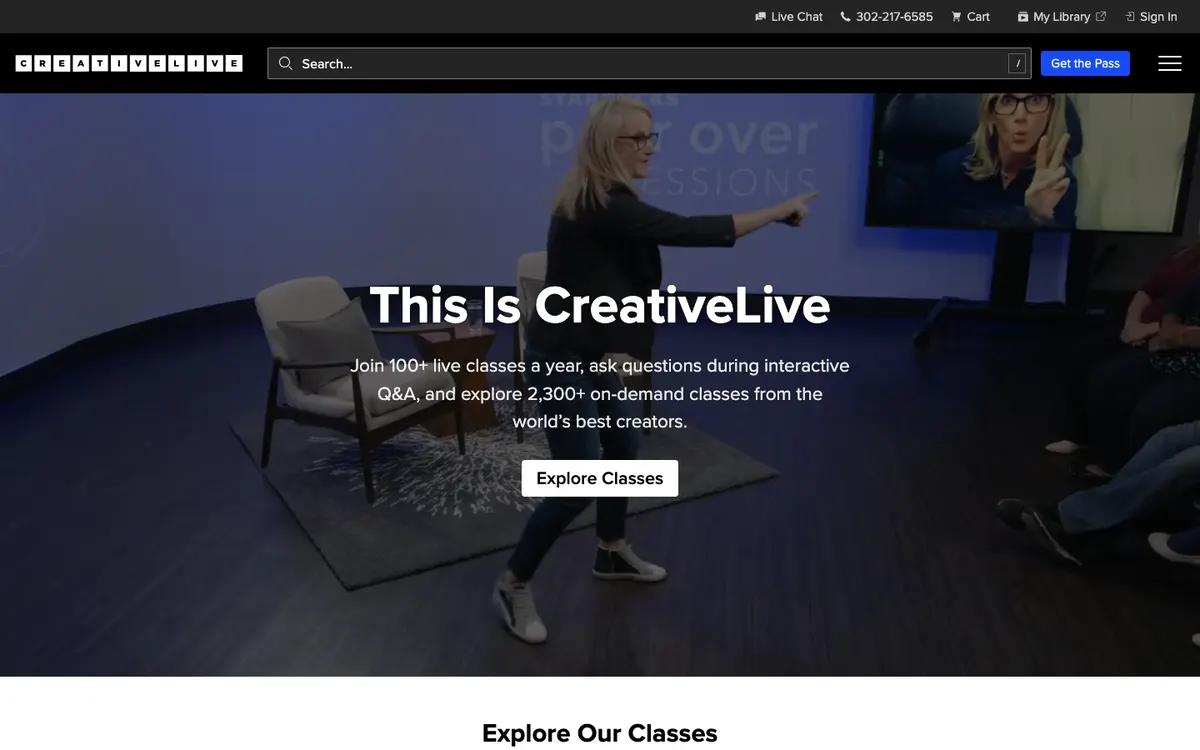
Best for: working photographers, designers and video editors who want a big on-demand library plus live classes they can ask questions in.
Buy the Creator Pass if you shoot, design or edit for a living and will actually use a big library plus a live class or two each month. At $299 a year (shown against $499 on October 30, 2026), it pays off once you'd otherwise buy three or four single classes. If you only want one course, buy that class alone, and if your goal is a credential an employer recognizes, look at Coursera Plus instead. Watch the exclusions: partner-school classes and bundles aren't in the pass, and the refund window on the annual plan is only 7 days.
- Thousands of on-demand classes in photography, design, video, audio and creative business
- 100+ live classes a year with Q&A, and the recordings stay in the library
- Fast Class versions of top classes, re-edited for short sessions
- You can buy a single class instead of subscribing
- Partner-school classes (Noble Desktop, VDCI, TCC, Graduate School USA) and class bundles aren't included in the pass
- Only 7 days to ask for a refund on the annual plan, once per customer; monthly plans get none
- Certificates are issued by CreativeLive, not by an accrediting body
- Public reviews on Trustpilot (whole platform), checked October 6, 2026. Often praised: “Clear, detailed instruction that helps beginners learn practical skills”.
- Video from the official channel: How to Make Your Creative Passion Your Job with Tonya Rapley | CreativeLive · CreativeLive
- Compare: CreativeLive vs Coursera · CreativeLive vs edX · CreativeLive vs Skillshare · CreativeLive vs MasterClass · CreativeLive vs Udemy
3. edX
Best for: self-directed learners who want one specific course from a named university, and who want to try it free before paying for the certificate.
When the university name matters more than the platform, edX is where to look: you can audit most courses free, then pay for a verified certificate from HarvardX, MITx or a company like Microsoft once you know the course is worth finishing. If you plan to collect several certificates in a year, a Coursera Plus subscription ($399 a year on October 30, 2026) usually costs less per credential. The catch: prices are set course by course, and the free audit track gives only temporary access with no graded work.
- Most courses can be audited free before you pay for the verified track
- Certificates carry the university or company name (HarvardX, MITx, Microsoft, IBM and others)
- Verified track adds graded assignments and lasting access to the material
- Paths from single courses to professional certificates, undergraduate certificates and degrees
- No all-access subscription: each certificate is priced separately
- Audit access is temporary and excludes graded work, so you can't fully test a course before paying
- Instructor feedback varies a lot; many self-paced courses offer little or none
- Public reviews on Trustpilot (whole platform), checked October 6, 2026. Often praised: “Some reviewers find the coursework informative and valuable for learning”.
- Video from the official channel: edX MicroBachelors Programs for Business · edX
- Up to 15% off select courses and programs with code FALL2026, ending November 4, 2026 (edX offers page, checked October 30, 2026) (checked October 30, 2026)
- Compare: edX vs Coursera · edX vs CreativeLive · edX vs LinkedIn Learning · edX vs Udemy
4. Outschool
Best for: homeschool families and parents who want small live online classes or tutoring for a child aged 3 to 18, in academics or a specific interest.
When a child is obsessed with one subject and you want a small live class in exactly that, Outschool has more choice than anywhere else, which makes it a natural fit for homeschooling families: 140,000+ classes for ages 3 to 18, a 4:1 average class size, and per-class prices set by each teacher (October 30, 2026). If you want a full curriculum with grades and transferable credit for a teen, Study.com's homeschool and college credit plans are the better fit. The catch: you're buying from individual teachers, so quality varies, and the refund window closes 24 hours after you book, or when the class starts.
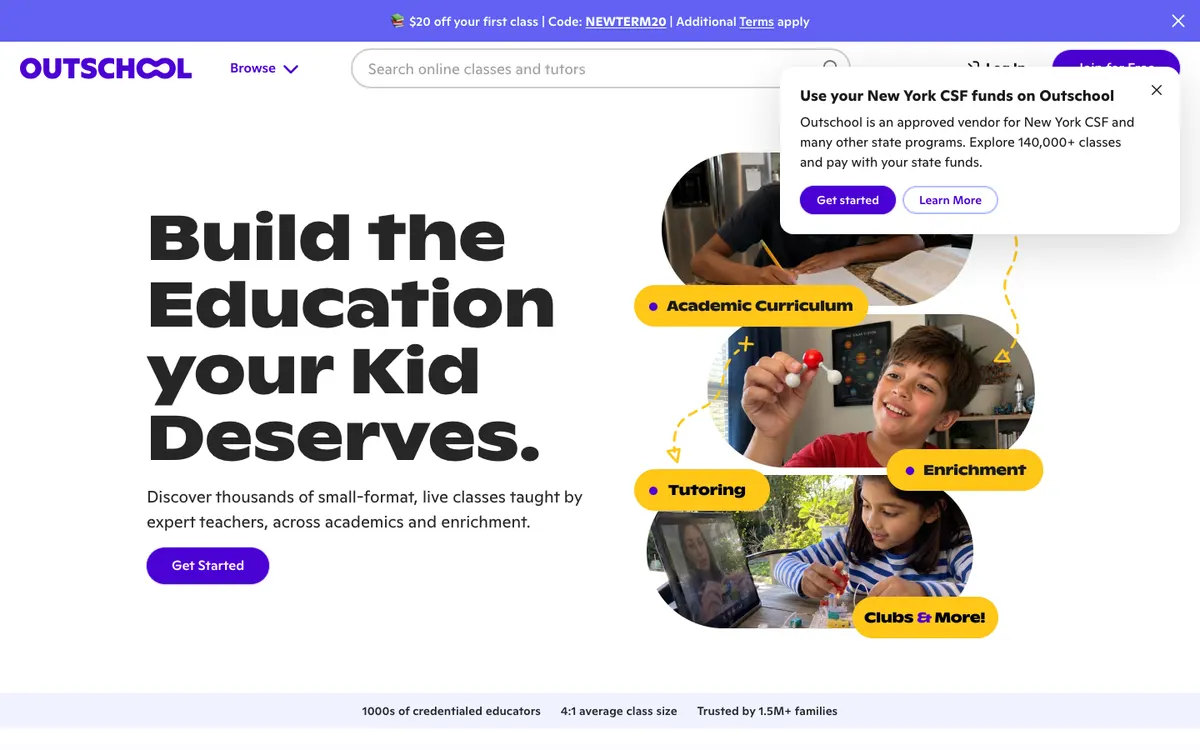
- 140,000+ live classes and tutoring options for ages 3 to 18, from algebra and AP prep to chess and Fortnite-themed math
- Small groups: Outschool reports a 4:1 average class size
- Classes and teachers experienced with ADHD, autism and dyslexia
- Approved vendor for state education savings programs, so eligible families can pay with state funds
- Quality varies from teacher to teacher, because each one designs and prices their own class
- The refund window is 24 hours from purchase, or until the class starts
- Weekly classes bill every week until you stop them, so costs add up quietly
- Learners rate it 4.1/5 (3,592 reviews) on Trustpilot (whole platform), checked October 6, 2026. Often praised: “A broad variety of classes accommodates different interests and learning needs”.
- Video from the official channel: How to use Outschool: Tips for teaching live online classes · Outschool - Educational Classes for Kids
- $20 off your first class with code NEWTERM20 (additional terms apply).
- Compare: Outschool vs Teachable · Outschool vs Udemy
Best for: office and tech professionals who learn in short sessions and want completion certificates that show on their LinkedIn profile.
Short, well-produced lessons on Excel, project management or a new software tool are what LinkedIn Learning does best, and the certificate lands on your LinkedIn profile in one click. If you need a credential with a university or industry name, Coursera Plus is the better buy, and if you want hands-on creative projects, Skillshare. The catch: the price only appears after you sign in, and the free month turns into a paid subscription unless you cancel.
- 26,500 courses taught by 3,900+ practitioners, with consistent production quality
- A free first month to test it
- Certificates post straight to your LinkedIn profile
- Prep courses and practice exams for outside certifications, plus courses that carry CEUs
- Price hidden until you sign in
- Completion certificates aren't industry credentials
- Many courses are short overviews; for depth you'll need a second resource
- Video from the official channel: Welcome to the LinkedIn Learning channel! · LinkedIn Learning
- Compare: LinkedIn Learning vs Coursera · LinkedIn Learning vs edX · LinkedIn Learning vs Skillshare · LinkedIn Learning vs MasterClass · LinkedIn Learning vs Udemy
6. The Great Courses / Wondrium
Best for: adults who enjoy long, college-style lecture series in history, science, philosophy, religion and travel, for the pleasure of learning.
For curious adults who'd rather spend an evening on a 24-lecture history of Rome than another streaming series, The Great Courses Plus is easy to recommend: 20,000+ lectures, no ads, and on October 30, 2026 the annual plan was $105 for the first year (then $150). If you're learning for your career or need a certificate, Coursera Plus or LinkedIn Learning are the better tools, since nothing here is assessed. The small print: there's no refund if you cancel mid-term, and the intro prices jump after year one.
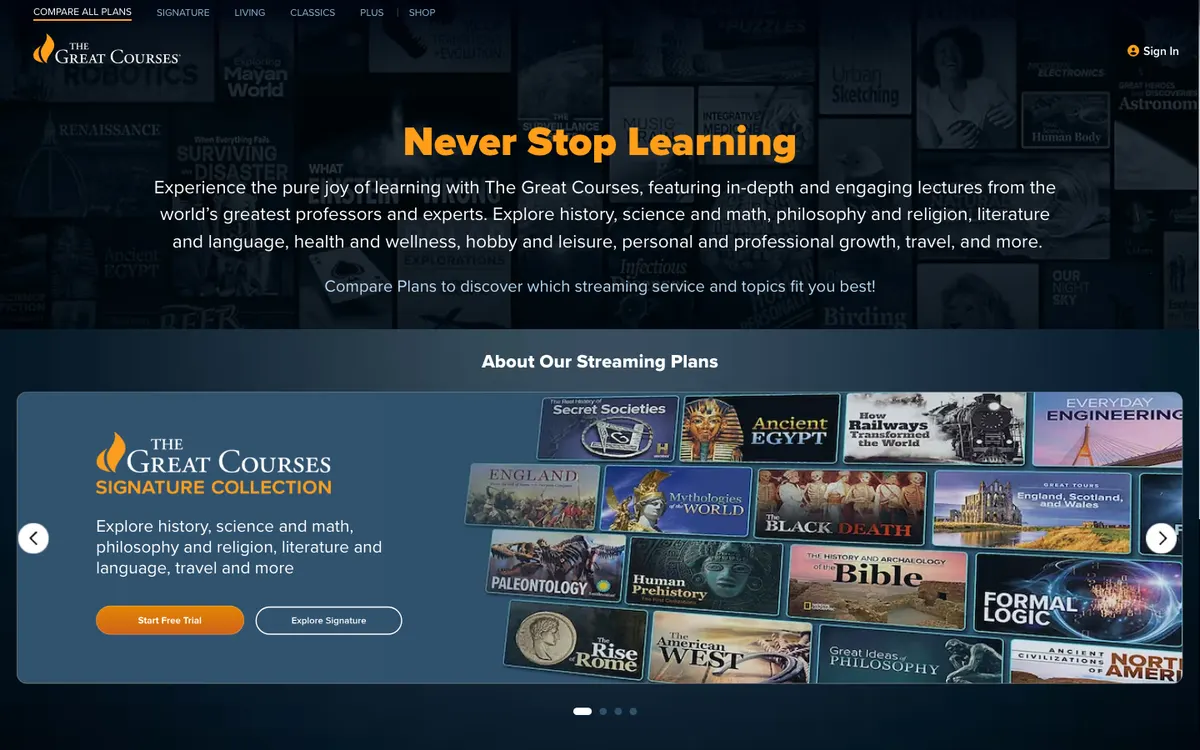
- Over 20,000 lectures by professors and experts, ad-free, on TV, computer and phone
- New courses and remastered classics added every month
- 7-day free trial, and the annual plan costs about $12.50 a month after the first year
- Individual courses can be bought to keep if you don't want a subscription
- No quizzes, assignments or certificates, so it doesn't help with a résumé
- First-year prices rise afterward ($105 to $150 a year, $14 to $20 a month)
- No refund for early termination; cancelling only stops the next renewal
- Video from the official channel: The World of Genesis | Full Episode | The Great Courses · The Great Courses
- Compare: The Great Courses / Wondrium vs MasterClass · The Great Courses / Wondrium vs Udemy
7. Teachable
Best for: coaches, teachers and experts selling their first online course, coaching offer or digital download who want checkout, taxes and a student app handled for them.
Selling your first course or coaching package next month, without hiring a developer, is what Teachable makes easy for coaches, teachers and experts: Builder, at $69 a month billed yearly, removes transaction fees and adds an affiliate program. If you plan to run a whole business (email, funnels, community) from one tool, Kajabi does more for more money, and if you only want to learn, this isn't a course at all. The catch: Starter takes 7.5% of every sale on top of the subscription, and student certificates only come with the $139-a-month Growth plan.
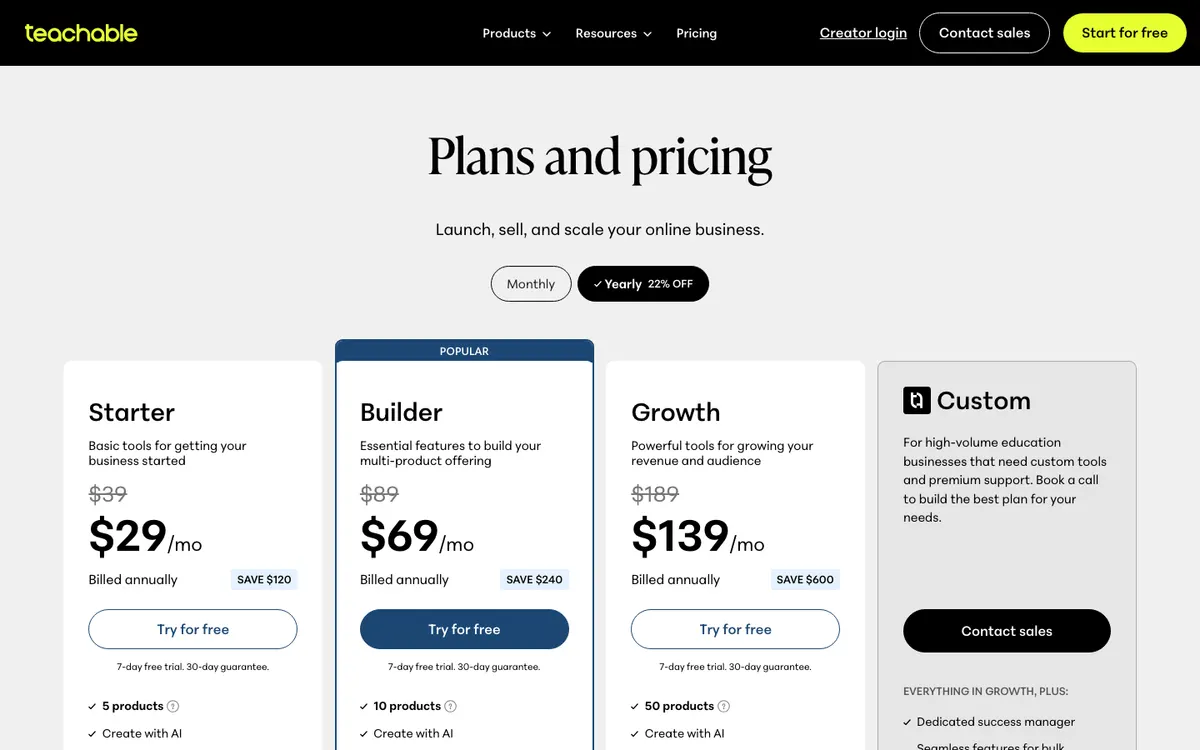
- 7-day free trial and a 30-day guarantee on every plan
- Builder and Growth charge 0% transaction fees
- Global payments and tax handling built in
- iOS and Android student apps on all plans
- Starter takes a 7.5% fee on each sale
- No free plan
- Course certificates and branding removal only on Growth ($139 a month billed yearly)
- Video from the official channel: How does Teachable work? (three keys to success as a course creator) · Teachable
- "Get 3 months for the price of 1" (pricing page promotion).
- Compare: Teachable vs Outschool · Teachable vs Thinkific · Teachable vs Kajabi · Teachable vs Skillshare · Teachable vs Udemy
8. Thinkific
Best for: coaches, trainers and small businesses who already have an audience and want to sell courses, cohorts and memberships on their own branded site.
Thinkific suits a coach, trainer or small business that's ready to sell courses seriously and wants course structure, live cohorts, payment plans and certificates under its own domain, starting at $82 a month billed annually (October 30, 2026). If you're testing your first course on a tight budget, Teachable's cheaper plans or a single course on a marketplace cost much less while you find out whether anyone buys. The catch is the new price floor: the old $40 entry plan is gone, and Thinkific branding stays on your site until the $164-a-month Grow plan.
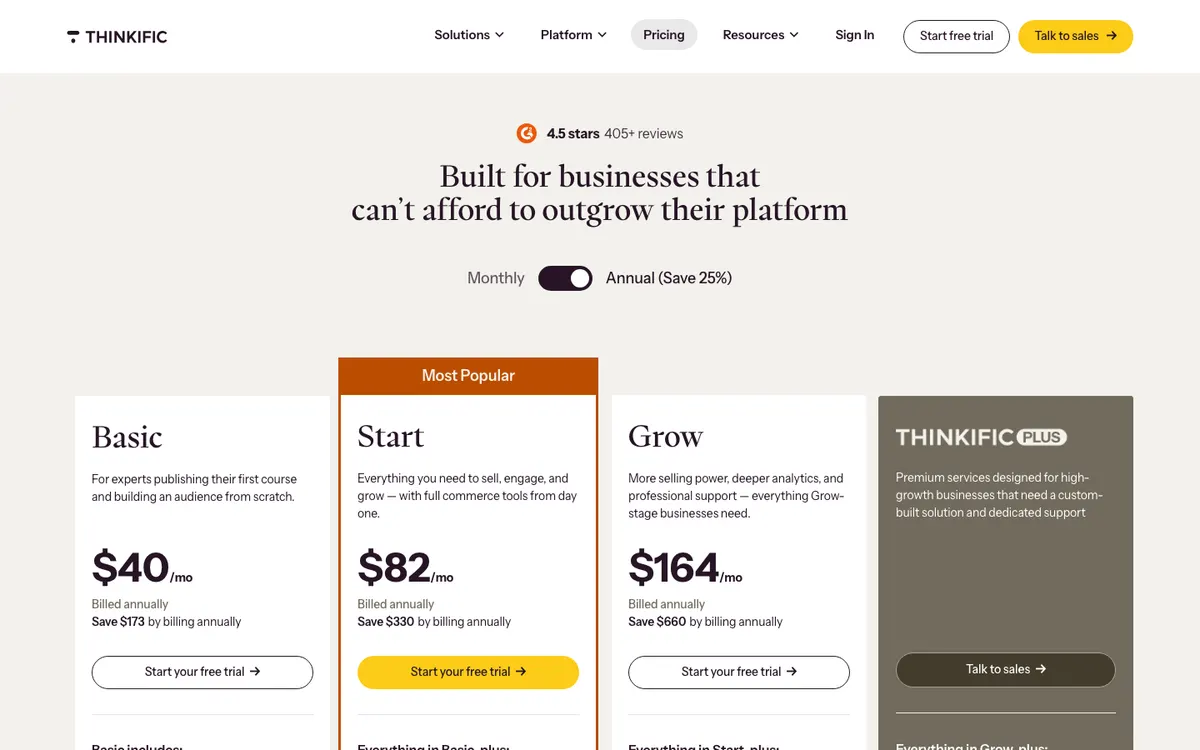
- Start plan covers the essentials: unlimited courses, live cohorts with Zoom, quizzes, graded assignments, certificates, payment plans, memberships and a custom domain
- 30-day free trial on every account, so you can build your first course before paying
- Built-in Thinkific Payments at 2.9%, with no extra gateway fee
- Upgrade, downgrade or cancel at any time, including during the trial
- No longer a cheap start: the lowest plan was $82 a month billed annually ($109 monthly) on October 30, 2026
- Thinkific branding stays on your site until the Grow plan at $164 a month (annual)
- Using Stripe or PayPal instead of Thinkific Payments adds a gateway fee that varies by plan
- Video from the official channel: Welcome to Thinkific: Complete Demo (2024) · Thinkific
- Compare: Thinkific vs Teachable · Thinkific vs Kajabi · Thinkific vs Udemy
9. Kajabi
Best for: coaches and creators who already sell a course, coaching or membership and want to replace separate email, website, checkout and community tools with one subscription.
Expensive for a course platform, reasonable for a whole business: Kajabi bundles courses, website, email, funnels, community and checkout from $143 a month billed yearly ($179 monthly) on October 30, 2026, with a 30-day money-back guarantee. If you haven't sold your first course yet, Teachable from $29 a month or Thinkific with its 30-day trial costs far less while you test demand. The catch: Basic caps you at 5 products and 2,500 contacts, the trial rolls into the $249 Growth plan unless you cancel, and card fees still apply on every sale.
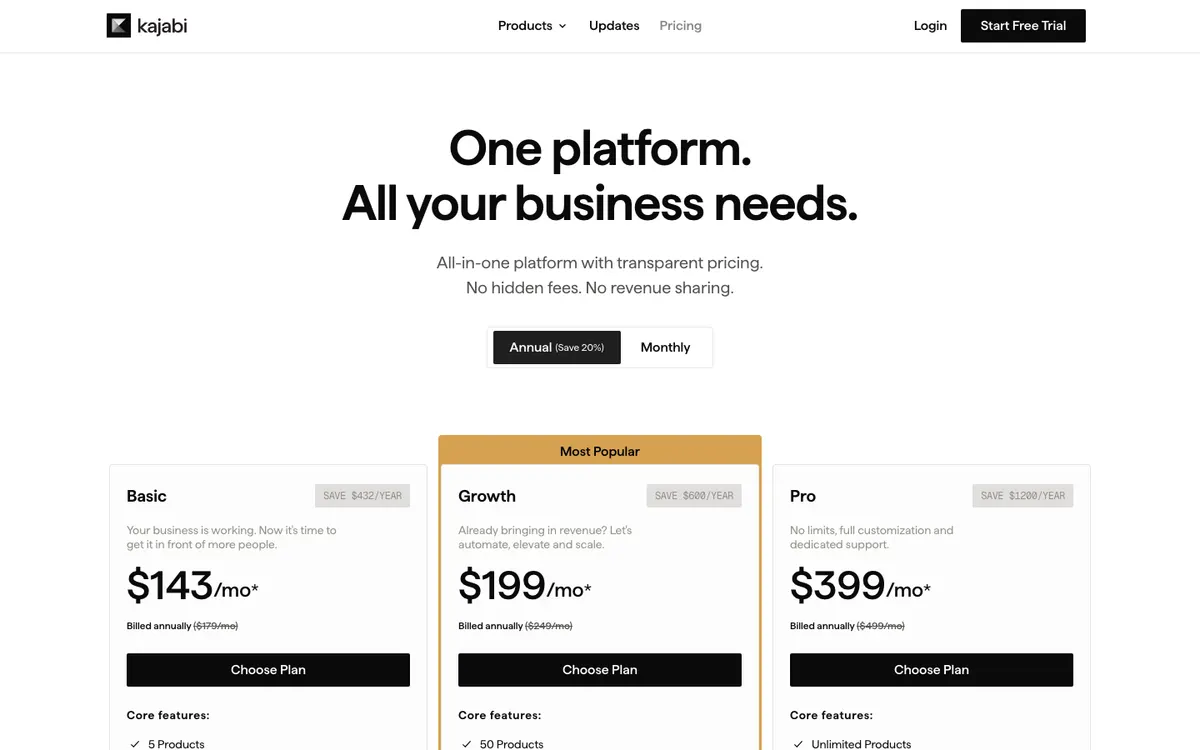
- One login for courses, coaching, community, website, email, funnels and checkout
- No revenue share: Kajabi takes no cut of your sales beyond card processing
- Unlimited marketing emails, landing pages and funnels on every plan
- 30-day money-back guarantee, and you can upgrade, downgrade or cancel anytime
- Costs several times more than Teachable or Thinkific's entry plans
- Basic allows only 5 products, 2,500 contacts and 2 admin users
- Using your own payment provider adds 2% on Basic (1% Growth, 0.5% Pro) on top of its fees
- Video from the official channel: Go From Creator to Business with Kajabi · Kajabi
- Compare: Kajabi vs Teachable · Kajabi vs Thinkific · Kajabi vs Udemy
10. Skillshare
Best for: hobbyists and freelancers who want to sample many short creative classes (illustration, design, video, writing) on one subscription.
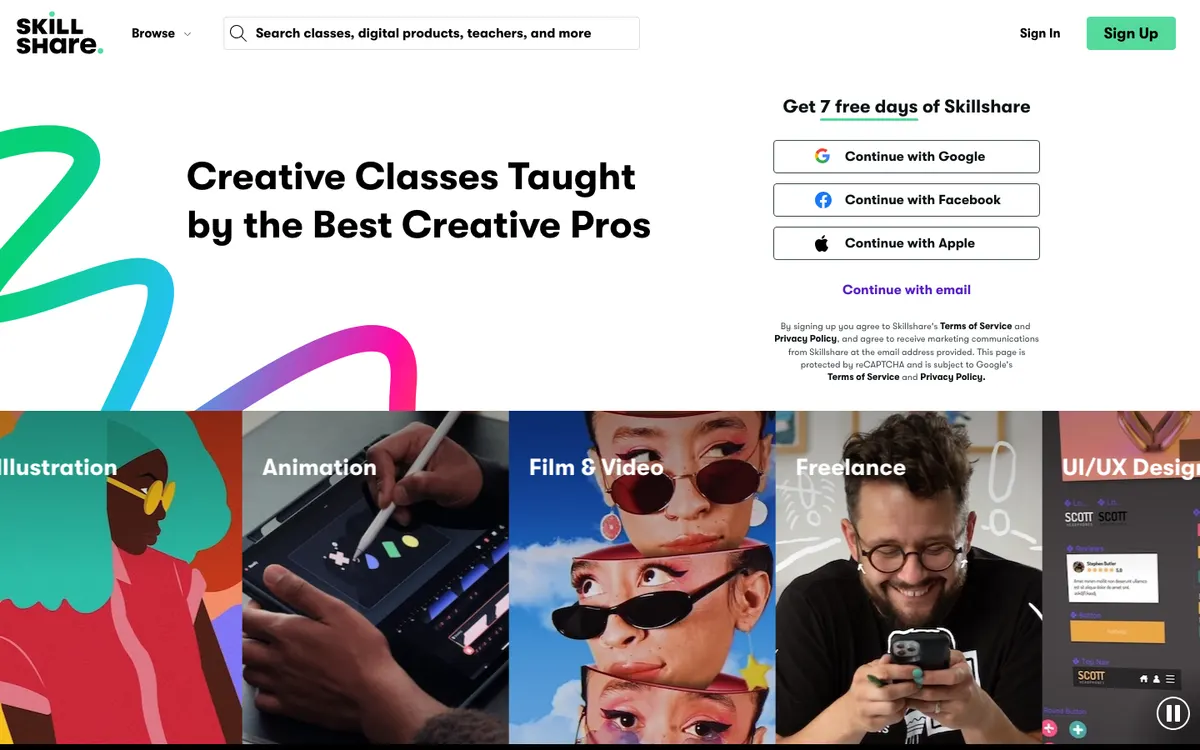
Most useful to the curious creative who'll take a dozen short classes a year across different things (Procreate one month, YouTube editing the next) and wants one bill for all of it: $167.88 a year on the US pricing page on October 30, 2026. If you're after one skill in depth, such as learning to draw properly or a job-ready design portfolio, a dedicated course does that better. Mind the billing: the 7-day trial turns into a full year's charge, and the refund window after it is only 48 hours.
- Thousands of short classes, many under an hour, so you can finish something on a weeknight
- Every class ends with a project you post to a gallery, which keeps you making rather than only watching
- Learning Paths group classes into a sequence for a specific goal
- Offline viewing in the app, subtitles and transcripts
- The trial converts into a full year charged at once ($167.88 in the US), and renewals aren't refunded
- Refund after the trial only within 48 hours, once, and only if you haven't used it
- Teaching quality swings a lot from one teacher to the next
- Learners rate it 4.1/5 (4,223 reviews) on Trustpilot (whole platform), checked October 6, 2026. Often praised: “Fast, helpful, and understanding customer support”.
- Video (independent review): Skillshare Review - 2026 | Is Skillshare Worth it? After 2 Years Of Use… · Daniel | Tech & Data
- Compare: Skillshare vs Coursera · Skillshare vs CreativeLive · Skillshare vs LinkedIn Learning · Skillshare vs Teachable · Skillshare vs MasterClass · Skillshare vs Udemy
11. Alison
Best free optionBest for: budget learners who want to study a work skill for free, try several subjects, and decide afterwards whether a CPD certificate is worth paying for.
Free to study and paid only at the end, Alison is the cheapest way to find out whether a work skill is for you: you buy the certificate only if you want it. If you need a credential a US employer will recognize, like college credit or an industry certificate, Coursera Plus at $399 a year gives certificates from universities and companies. The catch: the certificate price shows up in your currency once you've finished, and on a course page it's easy to confuse a CPD certificate with a qualification.
- Every course is free to study, assessments included
- More than 1,300 IT courses alone, and thousands more in health, business, languages and teaching
- CPD UK-accredited publishing process; dementia courses reviewed with Alzheimer's Disease International
- Premium discounts add 10% a month on certificates, up to 50%, and never expire
- Certificates and diplomas cost extra, and the price only shows at checkout in your currency
- CPD certificates aren't college credit or an industry license
- The free tier shows ads; priority support is a Premium perk
12. Study.com
Best for: adult students and advanced high schoolers who want low-cost general-education credits to transfer to a college that accepts ACE or NCCRS recommendations, plus families looking for video-based homeschool material.
Study.com earns its keep as a cheap way to knock out general-education credits: at $95 a month for College Saver (October 30, 2026), finishing one course a month comes to roughly the $32 per credit the company quotes for its average member. It works only if your college, or a partner like WGU or SNHU, accepts the ACE or NCCRS recommendation for the specific course. If you want a credential employers recognize on its own, or a live teacher, look at edX professional certificates or Outschool for younger learners. The catch: the monthly fee runs whether you study or not, so a slow month makes each credit expensive.

- $95 a month for 85+ general-education courses, with no cap on how many you finish
- Courses recommended for credit by ACE and NCCRS, with partner schools such as WGU, GCU and SNHU
- 30-day money-back guarantee, and you can pause billing between courses
- Short video lessons with chapter tests, and final exams that are open book
- Credit only counts if your college accepts the specific course; check before enrolling
- The subscription bills every month, so slow progress raises the real cost per credit
- College Saver limits you to two courses at a time, and Pro costs $235 a month
- Public reviews on Trustpilot (whole platform), checked October 6, 2026. Often praised: “Some reviewers found the lessons helpful for exam preparation and reported passing their exams”.
- Video from the official channel: Study.com 2026 Review (Honest, Up-to-Date Overview) · Study.com
- Compare: Study.com vs Udemy
13. MasterClass
Best for: curious learners and hobbyists who enjoy high-production video lessons from famous experts, and people buying a gift.
Watch MasterClass for inspiration, not for a credential. An annual membership opens 200+ classes in cooking, writing, film, business, music and more, with new classes every month and a 30-day satisfaction guarantee (plans page, October 30, 2026). Lifelong learners, hobbyists who love role models and gift buyers get their money's worth. If you need certificates or workplace skills, Coursera or LinkedIn Learning fits better, and Skillshare has more hands-on creative projects. The downside is built in: no assignments, feedback or certificates, and annual billing that tends to outlast the first burst of enthusiasm.

- 200+ classes from well-known experts, with new classes every month
- Cinema-grade production across cooking, writing, film, business, music and more
- 30-day satisfaction guarantee on annual memberships (October 30, 2026)
- Watch on phone, laptop or TV, any time
- No assignments, feedback or instructor interaction
- No certificates or CEUs
- Annual billing only on the plans we read, easy to forget at renewal
- Public reviews on Trustpilot (whole platform), checked October 6, 2026. Often praised: “Some reviewers report prompt refunds after contacting support or posting a review”.
- Video from the official channel: Think Like a Boss, Live Like a Legend with Martha Stewart | Official Trailer | MasterClass · MasterClass
- Compare: MasterClass vs Coursera · MasterClass vs CreativeLive · MasterClass vs LinkedIn Learning · MasterClass vs The Great Courses / Wondrium · MasterClass vs Skillshare · MasterClass vs Udemy
14. Udemy
Best for: self-directed learners who know which certification exam they're sitting and want a low-cost video course or practice-test set from an instructor they've vetted.
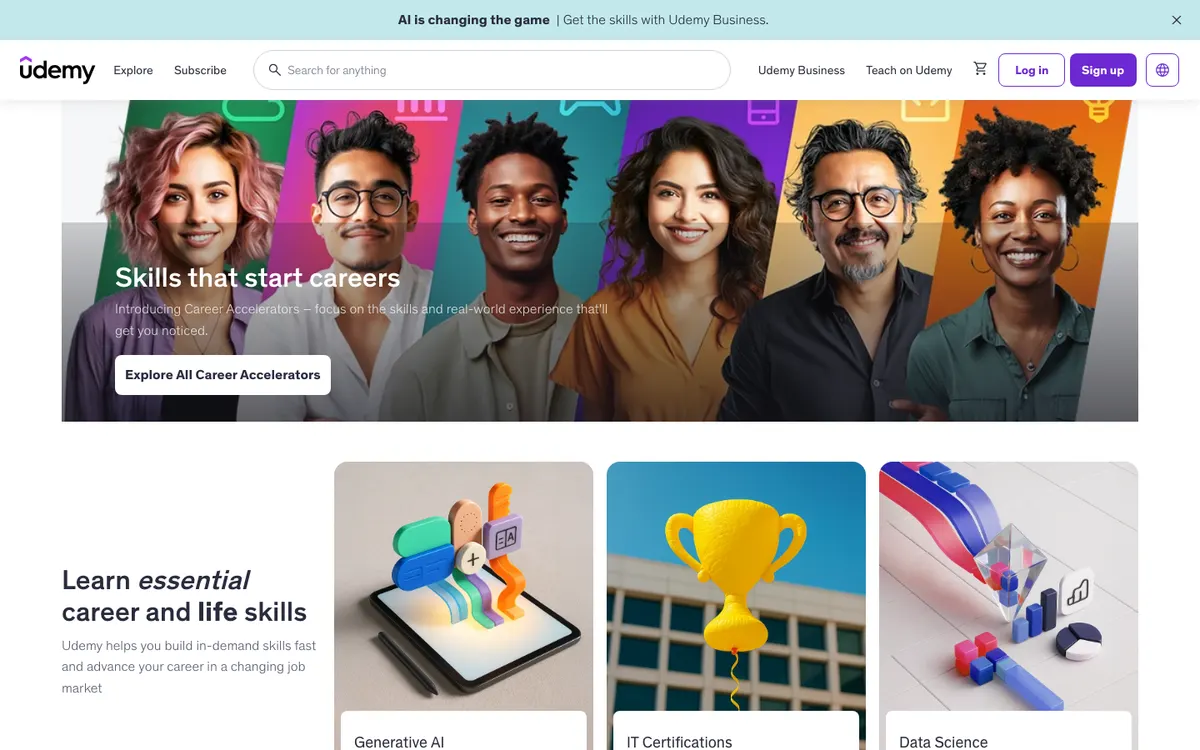
Udemy's best use is narrow: one exam, one instructor you've checked, and $19.99 to $199.99 for a course you keep (official prices, October 30, 2026). That suits a self-taught learner who already knows the certification they want and needs videos plus practice tests to get there. If you'd rather have a structured program from a named company or university, Coursera Plus is the better buy, and if you'll take several courses this year, Udemy's own Personal Plan from $13 a month beats buying them one by one. The catch: Udemy is a marketplace, so the quality is whoever made the course, and the 30-day refund can come back as Udemy credit instead of cash.
- One course, one payment: $19.99 to $199.99, and the course content stays in your account
- A very large cert prep shelf: Udemy counts more than 12,000 cert prep courses and practice tests in Personal Plan alone
- Most purchases can be refunded within 30 days if the course isn't what you expected
- Personal Plan, from $13 a month, lets you switch between instructors until one style clicks
- Quality depends entirely on the instructor; two courses for the same exam can be worlds apart
- The 30-day refund may be paid as Udemy credit rather than back to your card, at Udemy's choice
- Lifetime access covers the videos, not the instructor: Q&A help can stop at any time
- Public reviews on Trustpilot (whole platform), checked October 6, 2026. Often praised: “A few reviewers still describe the platform and its course content as good”.
- Video (independent review): Top 10 Udemy Courses for Project Managers | Udemy Course Review · Alvin the PM - Become a Certified Project Manager
- Compare: Udemy vs Coursera · Udemy vs CreativeLive · Udemy vs edX · Udemy vs Outschool · Udemy vs LinkedIn Learning · Udemy vs The Great Courses / Wondrium · Udemy vs Teachable · Udemy vs Thinkific · Udemy vs Kajabi · Udemy vs Skillshare · Udemy vs Study.com · Udemy vs MasterClass
15. ExpertRating
Best for: freelancers and learners who want a cheap, fast certificate or skill-test score for a profile or CV, in a field where no specific industry credential is required.
Minutes after you pass an ExpertRating exam, the certificate is yours to download, and the prices are low: $9.99 for an online skills test, $99.99 for a certification with courseware. That's useful for a freelancer who wants a score on a profile, or for someone checking whether a field interests them before paying for a real credential. If an employer, gym or licensing board asks for a recognized certification, such as an NCCA-accredited trainer exam, go to the body that issues it. The catch: exams are unproctored and easy to pass (50% on the Personal Trainer exam), so the certificate tells employers little.
- Low prices: $99.99 per certification with courseware, $9.99 per skills test
- Everything included in one price: courseware, mock exam, exam, digital certificate and online transcript
- Fast: most people finish in 2 to 4 weeks at 1 to 2 hours a day
- Hundreds of skills tests across IT, office, aviation, languages and more
- Not NCCA-accredited and no college credit, so it carries little weight where employers ask for industry credentials
- Unproctored exam with a low bar: 40 questions and a 50% pass mark on the Personal Trainer certification
- Refunds only at the company's discretion, within 15 days
What to compare before you enroll
- Total cost, not the headline price
- Published prices run from Free (Alison) to $499. 7 of these prices are subscriptions (Coursera From $59/mo, CreativeLive $299/yr, Teachable From $29/mo, Thinkific From $82/mo, Kajabi From $143/mo, Skillshare $167.88/yr, Study.com From $29.99/mo), the others are one-time fees, so compare what you would pay over the months you need.
- How you will study
- 9 are subscription memberships, 4 are self-paced, 1 mixes online study with live or in-person sessions and 1 runs live online. Self-paced study fits around work; live or in-person formats add feedback and deadlines, but fix your schedule.
- The credential behind the certificate
- 3 of the 15 programs name an accreditation, regulator or recognized awarding body. Check that the one you choose is accepted by the employer, board or client you have in mind.
- A way out if it is not a fit
- 14 of the 15 publish a free trial, a free tier or a refund window (see the table above). Read the conditions before paying: many refunds end once you start the course or the exam.
How we rank
We do not enroll in or test these programs. We compare them on what each provider publishes (program pages, pricing, syllabus, terms and refund policy) and on what accreditors or regulators list, then score five criteria from 1 to 10. The overall score is the weighted average of those criteria. Our rankings are based on our editorial criteria; some partners may be featured more prominently.
Weights: Curriculum 25% · Credibility 25% · Value 20% · Flexibility 15% · Support 15%
The facts on this page were checked on the official sites between October 5, 2026 and October 27, 2026. Prices and sales change often, so confirm them before you pay. Each review lists its sources. Read the full method.
We may earn a commission when you buy through links on this page. Our rankings are based on our editorial criteria; some partners may be featured more prominently. Links marked as sponsored are affiliate links. Read our affiliate disclosure.
Head-to-head comparisons

Coursera vs UdemyIn-depth
Kajabi vs TeachableIn-depth
Coursera vs edXIn-depth
LinkedIn Learning vs UdemyIn-depth
Coursera vs SkillshareIn-depth
Teachable vs UdemyIn-depth
CreativeLive vs SkillshareIn-depth
edX vs LinkedIn LearningIn-depth
MasterClass vs The Great Courses / WondriumIn-depth
Skillshare vs TeachableIn-depth
Thinkific vs UdemyIn-depth
Teachable vs ThinkificIn-depth
Kajabi vs ThinkificIn-depth
MasterClass vs SkillshareIn-depth
Coursera vs MasterClassIn-depth
CreativeLive vs UdemyIn-depth
Kajabi vs UdemyIn-depth
LinkedIn Learning vs MasterClassIn-depth
Outschool vs TeachableIn-depth- SC
Study.com vs UdemyIn-depth 
Coursera vs LinkedIn LearningIn-depth
DCoursera vs DataCampIn-depth
Skillshare vs UdemyIn-depth
edX vs UdemyIn-depth
MasterClass vs UdemyIn-depth
CreativeLive vs MasterClassIn-depth
LinkedIn Learning vs SkillshareIn-depth
Outschool vs UdemyIn-depth
The Great Courses / Wondrium vs UdemyIn-depth
Coursera vs CreativeLive
CreativeLive vs edX
FAQ
What are the best online course platforms in 2026?
Based on our editorial score, Coursera ranks first at 9.2/10. Best for: Career changers with a concrete plan of two or more Coursera certificates, such as a Google certificate followed by a specialization, who can study steadily for a year. CreativeLive follows at 8.7/10.
How much do online course platforms cost?
Among the programs we compared that publish a price, prices run from Free to $499. Prices change often, so check the official site before you enroll.
How are these programs ranked?
We rank programs by an editorial score built from five weighted criteria (curriculum, credibility, value, flexibility and support), using each provider’s official pages. Our rankings are based on our editorial criteria; some partners may be featured more prominently.
Related guides
- Are Alison Certificates Worth It? Free Courses, Recognition and Better OptionsFrom the blog
- Verified offers3 current offers in this category, with source and date
- All categoriesEvery field we cover