On this page · 14 sections5 min read
- 01Our verdict
- 02At a glance
- 03Pros & cons
- 04The three plans
- 05What it changes in a normal week
- 06What it really costs per sale
- 07Smaller details worth knowing
- 08The catch: a premium price before you’ve proven anything
- 09Who it suits
- 10Who should look elsewhere
- 11Alternatives
- 12Your next step
- 13Score breakdown
- 14FAQ
Our verdict
Our verdict8.4/10Expensive for a course platform, reasonable for a whole business: Kajabi bundles courses, website, email, funnels, community and checkout from $143 a month billed yearly ($179 monthly) on October 30, 2026, with a 30-day money-back guarantee.
If you haven't sold your first course yet, Teachable from $29 a month or Thinkific with its 30-day trial costs far less while you test demand. The catch: Basic caps you at 5 products and 2,500 contacts, the trial rolls into the $249 Growth plan unless you cancel, and card fees still apply on every sale.
Best for: coaches and creators who already sell a course, coaching or membership and want to replace separate email, website, checkout and community tools with one subscription.
At a glance
Count the tools you’re paying for right now. A course host, an email service, a landing page builder, a checkout plugin, a community app, maybe a scheduling tool for coaching calls. Each one has its own login, its own invoice, and its own way of breaking when you change something in another. You’ve sold enough to know the business works, and you’re tired of being its IT department.
That’s the person Kajabi is built for. It’s not a course you take: it’s a platform for selling what you know, with courses, coaching, communities, newsletters, a website, email marketing, funnels and checkout in one place. Its pricing page says it plainly: most experts are paying for five tools that don’t talk to each other, and Kajabi replaces them.
How we reviewed it: on October 30, 2026, we read Kajabi’s pricing page, its plan comparison table and FAQ, and compared it with Teachable, Thinkific and the other options in our online learning platforms ranking. We haven’t built a site on Kajabi.
Some links on this site may earn us a commission if you enroll. Your price stays the same. Our rankings are based on our editorial criteria; some partners may be featured more prominently. How we review
Pros & cons
- One login for courses, coaching, community, website, email, funnels and checkout
- No revenue share: Kajabi takes no cut of your sales beyond card processing
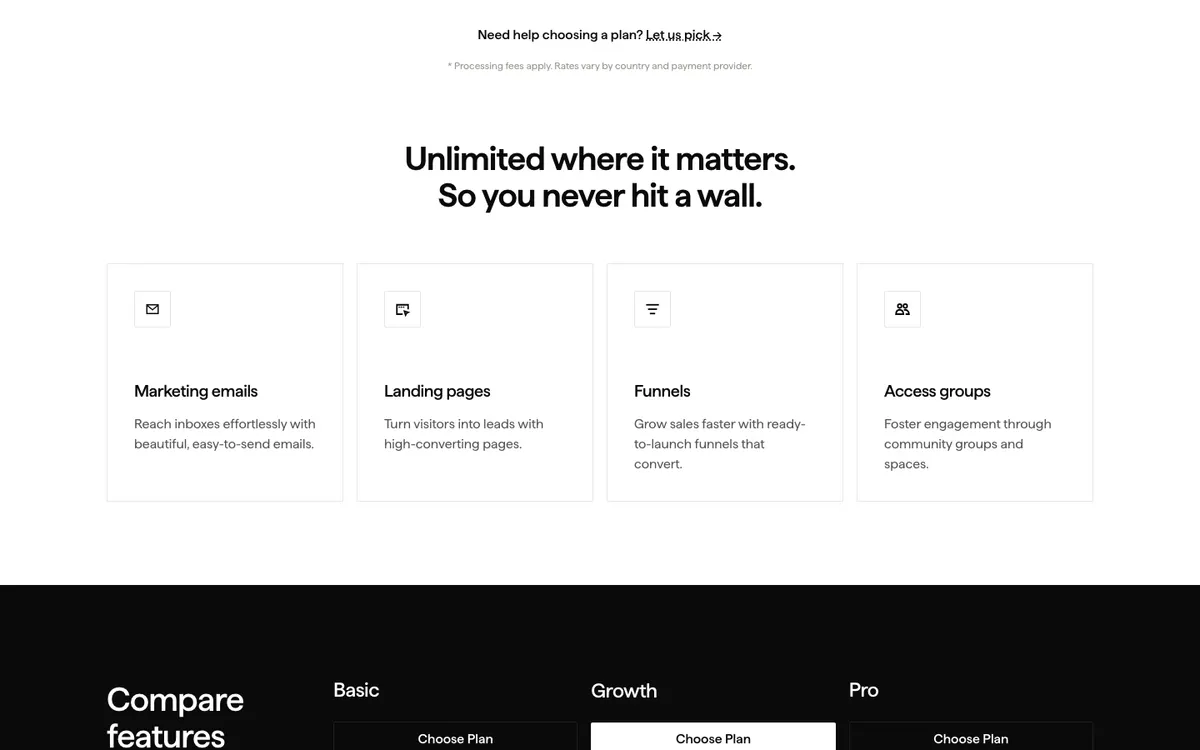
- Unlimited marketing emails, landing pages and funnels on every plan
- 30-day money-back guarantee, and you can upgrade, downgrade or cancel anytime
- Annual billing saves 20% (Basic $143 a month instead of $179)
- Costs several times more than Teachable or Thinkific's entry plans
- Basic allows only 5 products, 2,500 contacts and 2 admin users
- Using your own payment provider adds 2% on Basic (1% Growth, 0.5% Pro) on top of its fees
- The launch kit trial converts to Growth at $249 a month unless you cancel
- Branded mobile app and multiple websites only on Pro ($399 to $499 a month)
The three plans
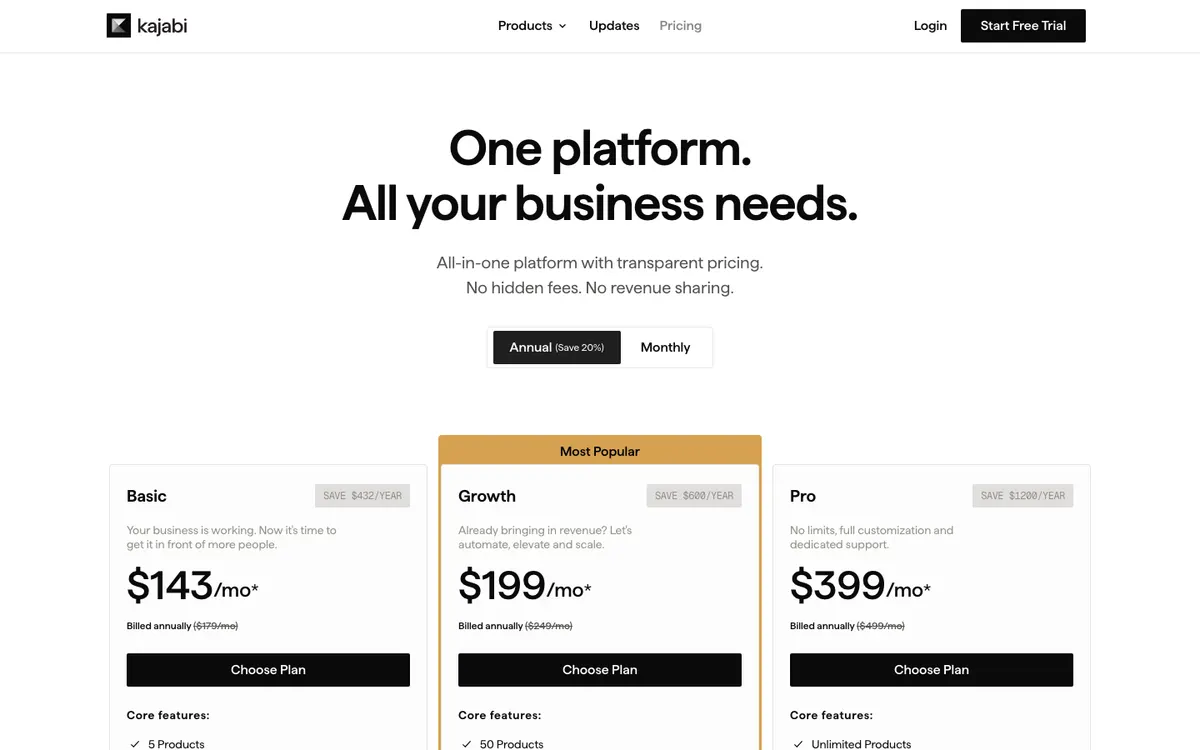
| Plan | Monthly | Billed annually | Products | Contacts | Admins |
|---|---|---|---|---|---|
| Basic | $179 | $143/month | 5 | 2,500 | 2 |
| Growth | $249 | $199/month | 50 | 25,000 | 11 |
| Pro | $499 | $399/month | unlimited | 100,000 | 26 |
Prices as listed on October 30, 2026. Every plan includes unlimited marketing emails, landing pages and funnels. Pro adds three websites and three communities instead of one, plus a branded mobile app in the app stores. Kajabi’s own advice in its FAQ is useful: start on Basic if you haven’t sold anything yet, move to Growth once revenue is coming in and your list is past a few thousand people, and take Pro if you run more than one brand or want your own app.
What it changes in a normal week
Say you run a $297 course and a small paid community. On Monday you write one email to your list from inside Kajabi, and it links to a landing page you built there. Someone clicks, buys through Kajabi’s checkout, gets access to the course and the community instantly, and lands in an automation that sends a welcome sequence. When they ask a question, it shows up in the same dashboard. Nothing to sync, no Zapier recipe to babysit.
That’s the real product. The course player itself isn’t what makes Kajabi special; plenty of platforms host videos well. The value is in not stitching six services together.
What it really costs per sale
Kajabi says it takes no revenue share, and that’s true. But “no hidden fees” doesn’t mean no fees. With Kajabi Payments, US card processing costs 2.9% + $0.30 per transaction on Basic, 2.8% + $0.30 on Growth and 2.7% + $0.30 on Pro. If you’re in a region where Kajabi Payments is offered and choose a third-party processor instead (other than PayPal), Kajabi adds 2% on Basic, 1% on Growth and 0.5% on Pro, on top of that provider’s own fees.
On a $297 sale through Kajabi Payments on Basic, that’s about $8.91 in card fees. Not outrageous, but worth putting in your margins.
30-day money-back guarantee on every plan; upgrade, downgrade or cancel anytime.
Monthly or annual (save 20%).
No public discount was listed on the official site when we checked. We never publish unverified coupon codes.
Smaller details worth knowing
Moving in is less painful than it used to be. The Business Launch Kit offer on the pricing page includes free migration to Kajabi, which matters if you already have a course, a list and a few hundred customers somewhere else. Ask what’s covered before you start, and keep your old platform running until the last student has been moved.
Kajabi is also pushing AI tools hard. The comparison table lists 500 AI credits a month on Growth, 1,000 on Pro and none on Basic, with extra packs of 500 credits sold at $15 a month. Some of those features are marked “coming soon,” and the limits of its new coaching product, Backstage, are “to be determined.” Buy for what works today, not for the roadmap.
The comparison table also lists affiliate programs, a custom domain, checkout pages and payment integrations under sales tools. Check which plan each one needs before you count on it.
Who it suits
Coaches, consultants and course creators with a working offer and a list, who’d rather pay one bill than five. People who sell several things (a course, coaching, a membership) and want them to share one customer record and one checkout.
Video: Kajabi
Who should look elsewhere
First-time creators testing an idea: start on Teachable or Thinkific, then move if the course sells. If you’re a learner looking for courses to take, not to sell, Kajabi isn’t for you; try Coursera or LinkedIn Learning.
Alternatives
Teachable is a simpler course host with plans from $29 a month billed annually and a 7-day trial.
Thinkific offers a 30-day trial and plans from $82 a month billed annually.
See all of them in our online learning platforms ranking.
Swipe sideways to compare all 4 programs →
| Criterion | This review | |||
|---|---|---|---|---|
| Our score | 8.4/10 | 9.2/10 | 8.7/10 | 8.7/10 |
| Price | $143 – $499 | $59 – $399 | $299 | — |
| Format | Subscription | Subscription | Hybrid | Self-paced |
| Duration | Subscription. | 12 months of unlimited access. | 2,300+ on-demand classes; 100+ live classes a year. | Varies by course or program. |
| Free trial | Free trial; the Business Launch Kit offer on the pricing page lists 14 days, converting to Growth monthly at $249 unless cancelled | 7-day free trial. | — | Most courses can be audited for free, with temporary access and no certificate |
| Best for | coaches and creators who already sell a course, coaching or membership and want to replace separate email, website, checkout and community tools with one subscription. | Career changers with a concrete plan of two or more Coursera certificates, such as a Google certificate followed by a specialization, who can study steadily for a year. | Working photographers, designers and video editors who want a big on-demand library plus live classes they can ask questions in. | Self-directed learners who want one specific course from a named university, and who want to try it free before paying for the certificate. |
| Full review | You are here | Coursera review | CreativeLive review | edX review |

“—” means the information was not published or not yet checked. See all 15 online course platforms programs.
Your next step
List every tool you pay for today with its monthly cost, and compare the total with Kajabi Basic or Growth. If Kajabi comes out cheaper or within $50, start the trial, set a calendar reminder for day 12, and migrate one product first to see whether the all-in-one setup really saves you time.
Score breakdown
Creator platform, no learner curriculum.
Leading creator business platform.
From $143/month annually.
Change or cancel anytime.
Premium support tiers.
Weighted average of five criteria. Read our methodology.
FAQ
How much does Kajabi cost per month?
On October 30, 2026: Basic $179 a month, or $143 a month billed annually; Growth $249 or $199; Pro $499 or $399. Annual billing saves 20%. Card processing fees come on top of that when you sell.
Does Kajabi take a percentage of sales?
No revenue share, according to its pricing page. You pay card processing through Kajabi Payments (2.7% to 2.9% plus $0.30 per US transaction, depending on the plan), or an extra 0.5% to 2% if you use a third-party payment provider where Kajabi Payments is available.
Is Kajabi worth it for a beginner?
Usually not. Kajabi's own FAQ says Basic is the plan if you haven't sold anything yet, but at $143 to $179 a month that's a big bet before your first sale. Validate the course on a cheaper platform, then move once you're paying for several separate tools.
Head-to-head comparisons
Sources
Prices and offers can change; confirm on the official site before you enroll.