On this page · 14 sections5 min read
Our verdict
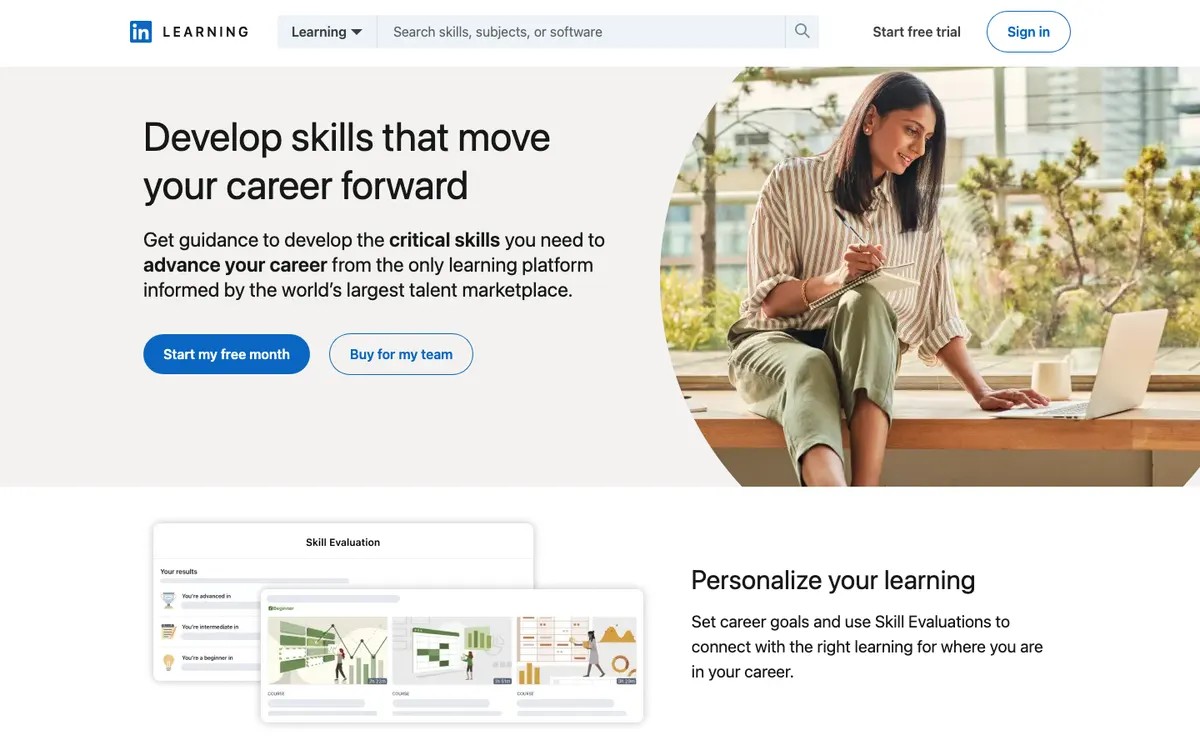
Our verdict8.6/10Short, well-produced lessons on Excel, project management or a new software tool are what LinkedIn Learning does best, and the certificate lands on your LinkedIn profile in one click.
If you need a credential with a university or industry name, Coursera Plus is the better buy, and if you want hands-on creative projects, Skillshare. The catch: the price only appears after you sign in, and the free month turns into a paid subscription unless you cancel.
Best for: office and tech professionals who learn in short sessions and want completion certificates that show on their LinkedIn profile.
At a glance
Your manager says the team is moving to Power BI next quarter. Or the job you want lists “experience with Agile” and you’ve only heard the word in meetings. You don’t need a degree for that. You need four focused hours, a clear teacher, and something to show for it.
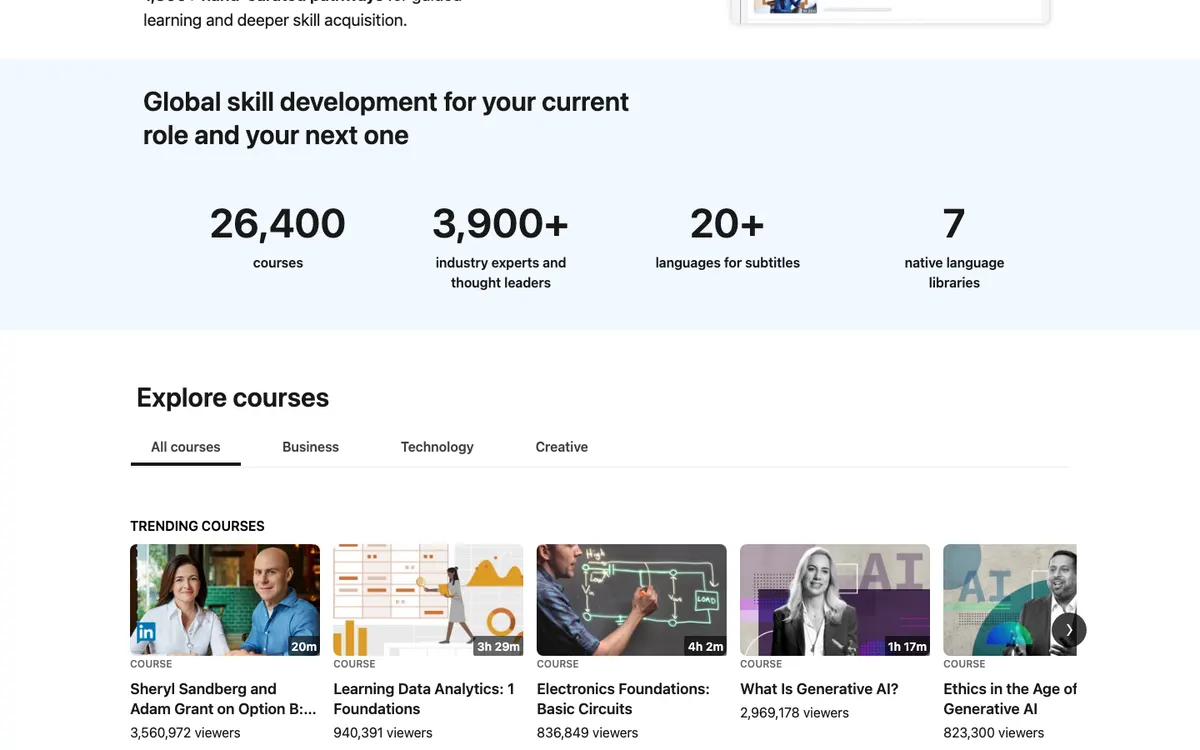
That’s the gap LinkedIn Learning fills. It’s the course library owned by LinkedIn (once Lynda.com), with 26,500 courses taught by more than 3,900 practitioners, across business, technology and creative skills. When you finish a course, the certificate can go straight onto your LinkedIn profile, where recruiters will see it.
How we reviewed it: on October 30, 2026, we read LinkedIn Learning’s public homepage, LinkedIn’s plan comparison page and the Premium page. The subscription page asks you to sign in before showing prices, so we don’t quote one. We haven’t completed a course.
Some links on this site may earn us a commission if you enroll. Your price stays the same. Our rankings are based on our editorial criteria; some partners may be featured more prominently. How we review
Pros & cons
- 26,500 courses taught by 3,900+ practitioners, with consistent production quality
- A free first month to test it
- Certificates post straight to your LinkedIn profile
- Prep courses and practice exams for outside certifications, plus courses that carry CEUs
- Code challenges and GitHub Codespaces for tech courses
- Price hidden until you sign in
- Completion certificates aren't industry credentials
- Many courses are short overviews; for depth you'll need a second resource
- The free month renews into a paid plan if you forget to cancel
What using it feels like
Courses are cut into short videos, often three to six minutes each, so a 90-minute course can be split across a week of lunch breaks. Many come with exercise files: the spreadsheet the instructor uses, the project template, the code. You follow along in a second window. There’s a mobile app for the commute, and subtitles in more than 20 languages, with full libraries in seven languages.
The teaching is consistent. LinkedIn hires instructors who work in the field and produces the videos in a studio style, so a course on pivot tables looks and sounds like a course on negotiation. Not thrilling, but you rarely hit a badly recorded lesson, which isn’t something every course marketplace can say.
For tech skills, some courses include code challenges and GitHub Codespaces, so you write code in the browser instead of just watching someone else do it. LinkedIn also lists AI-powered coaching and role-play exercises (practicing a difficult conversation with a manager, for example) among the features of its individual plan.
Certificates: what they’re worth
There are three kinds of paper here, and they’re not equal.
- Every course ends with a certificate of completion. It proves you watched and passed the quizzes, and on a profile it signals effort and interest.
- Professional Certificates come from partners such as Microsoft and Zendesk. They carry a company name, which reads better to a hiring manager.
- Prep courses cover more than 120 outside certifications, CEUs and academic credits. LinkedIn Learning prepares you; the real credential comes from passing the certifying body’s exam (PMI, CompTIA, Microsoft and others), which you book separately.
If you’re a project coordinator collecting PDUs, or a nurse or accountant who needs CEUs, check that your licensing body accepts the specific course before relying on it.
The free month, and the price question
LinkedIn offers a free month to new subscribers. Set a calendar reminder for day 25. If you’ve used it twice a week, keep it; if you opened it once, cancel.
The price is the frustrating part. LinkedIn shows it only after you sign in, and it can vary by country and billing period. We don’t print a figure we couldn’t read ourselves. LinkedIn also includes skill-building in its Premium plans for job seekers, so if you already pay for Premium, look in your account before buying Learning separately.
One more way in: many US public libraries give card holders free LinkedIn Learning access. If yours does, you get the library without the subscription. Ask the library how certificates work on its version before you count on them for your profile.
Subscription (often bundled with LinkedIn Premium).
No public discount was listed on the official site when we checked. We never publish unverified coupon codes.
How to get a month’s value out of the free month
Pick one goal before you start, not ten. Say it’s the Power BI switch at work. Week one, a beginner course of two or three hours, done in lunch breaks, with the exercise files open. Week two, a course on the data modeling part that confused you, plus building one real report from your own team’s numbers. Week three, a short course on presenting dashboards, because that’s what your manager will actually see. By day 25 you have one finished certificate, a working report and a clear answer on whether to keep paying.
Browse instead (a negotiation course here, a photography course there) and it’s easy to end the month with five half-watched videos. The library is big enough that browsing feels productive, and that’s the trap.
The catch
Breadth over depth. A two-hour course on Python gets you started; it won’t make you a developer. Treat LinkedIn Learning as the place to get oriented in a topic, then go deeper elsewhere if the topic sticks. And the completion certificates, useful as they are on a profile, aren’t credentials that a job ad will ask for by name.
Who it suits
People in office jobs who need a working grasp of a tool by next month. Managers who want short courses on feedback, hiring or budgeting. Job seekers who want fresh lines on their profile while they search. Anyone whose employer already pays for it, which is common in larger companies.
Videos about LinkedIn Learning
Who should skip it
If the goal is a career change into data, UX or IT, you need longer programs with graded projects and a recognized certificate. If you want to make things (illustration, video, crafts), the classes on Skillshare are more hands-on.
Alternatives
Coursera Plus costs $399 a year and gives certificates from Google, IBM and universities. Skillshare is the creative choice, at $167.88 a year. Udemy sells single courses, often on sale, if you only need one topic. We compare them head to head in Coursera vs LinkedIn Learning and LinkedIn Learning vs Udemy, and rank 15 options in our online course platforms guide.
Swipe sideways to compare all 4 programs →
| Criterion | This review | |||
|---|---|---|---|---|
| Our score | 8.6/10 | 9.2/10 | 8.7/10 | 8.7/10 |
| Price | — | $59 – $399 | $299 | — |
| Format | Subscription | Subscription | Hybrid | Self-paced |
| Duration | Monthly or annual subscription; courses from a few minutes to several hours, 26,500 in the library | 12 months of unlimited access. | 2,300+ on-demand classes; 100+ live classes a year. | Varies by course or program. |
| Free trial | One free month. | 7-day free trial. | — | Most courses can be audited for free, with temporary access and no certificate |
| Best for | office and tech professionals who learn in short sessions and want completion certificates that show on their LinkedIn profile. | Career changers with a concrete plan of two or more Coursera certificates, such as a Google certificate followed by a specialization, who can study steadily for a year. | Working photographers, designers and video editors who want a big on-demand library plus live classes they can ask questions in. | Self-directed learners who want one specific course from a named university, and who want to try it free before paying for the certificate. |
| Read more | You are here | Coursera reviewHead-to-head → | CreativeLive review | edX reviewHead-to-head → |


“—” means the information was not published or not yet checked. See all 15 online course platforms programs.
Your next step
Check your public library’s website for free access first. If there’s none, start the free month on a week when you can do two short courses, put a reminder on day 25, and decide with real usage in hand.
Score breakdown
Very broad library with learning paths.
Owned by LinkedIn/Microsoft; partner certificates.
Free month; often free via libraries.
On-demand.
Self-directed learning.
Weighted average of five criteria. Read our methodology.
FAQ
Is LinkedIn Learning free?
For the first month, yes: LinkedIn offers a free month to new subscribers. After that it's a paid subscription. Many US public libraries also give card holders free access, so check your library's website first.
Are LinkedIn Learning certificates worth anything?
They show a hiring manager what you studied, and they appear on your profile automatically. They aren't certifications. For that, use the platform's prep courses and practice exams, then sit the real exam with the certifying body (PMI, CompTIA, Microsoft and so on).
How much does LinkedIn Learning cost?
LinkedIn shows the price only after you sign in, and it can depend on your country and whether you pay monthly or yearly. We couldn't read it without an account on October 30, 2026, so check it on the subscription page before the free month ends.
Head-to-head comparisons
Sources
- https://www.linkedin.com/learning/
- https://business.linkedin.com/learn/compare-plans
- https://premium.linkedin.com/
Prices and offers can change; confirm on the official site before you enroll.