
On this page · 14 sections5 min read
Our verdict
Our verdict8.6/10Short answer: Uxcel is a good daily habit for learning UX and UI vocabulary, and a weak substitute for real portfolio work.
Pro costs $39 a month or $288 a year (October 30, 2026), and the free plan opens the first level of every course, so you can judge the five-minute lesson format before paying. If you're switching careers and need finished case studies for a hiring manager, the Google UX Design Certificate on Coursera ($49 a month) builds three portfolio projects instead. The catch: the 14-day refund shown on the yearly plan clashes with an FAQ that says refunds are case by case.
Best for: designers, developers and product managers who want to fill UX and UI gaps in short daily sessions, and beginners who want to test their interest in UX for free before paying for a longer program.
At a glance
Design feedback keeps coming back with words you only half know. The job ad you’ve bookmarked asks for “information architecture,” “usability testing” and “design systems,” and you could explain roughly two of the three. That gap, between doing design work and being able to name and explain it, is where Uxcel lives.
Uxcel teaches UX and UI design, product management and AI skills through interactive lessons that take about five minutes each. You read a short explanation, then answer by tapping, dragging or picking the better of two layouts. There’s a free plan, a Pro subscription and a lifetime option. It’s quick and pleasant, and it won’t build a portfolio for you.
How we reviewed it: on October 30, 2026, we read Uxcel’s pricing page and FAQ, including the prices the page loads from Uxcel’s own pricing feed, and its certification site, then compared it with the Google UX Design Certificate on Coursera. We haven’t taken the courses.
Some links on this site may earn us a commission if you enroll. Your price stays the same. Our rankings are based on our editorial criteria; some partners may be featured more prominently. How we review
Pros & cons
- The free plan opens the first level of every course, plus skill assessments, without a credit card
- Five-minute interactive lessons that fit a commute or a coffee break, with a full mobile app
- 60+ courses and 9 guided career paths covering UX, UI, product management and AI
- Mentor-led project reviews on Pro, and 30% off Uxcel's professional certification exams
- Lifetime Pro at $399 once if you plan to keep learning for years
- Refund terms contradict each other: a 14-day guarantee on the yearly card, 'typically no refunds' in the FAQ
- Certifications are issued by Uxcel itself and cost extra, even for Pro members
- Short quizzes teach vocabulary faster than they build the case studies employers ask for
- Prices sit behind rotating countdown banners, so the figure you see can change from one week to the next
What the free plan already gives you
More than most. The Starter plan opens the first level of every course, includes skill assessments that benchmark you against other members, and gets you into Uxcel’s Discord community. No credit card. If you only want to know whether you like this format, a week on the free plan answers it.
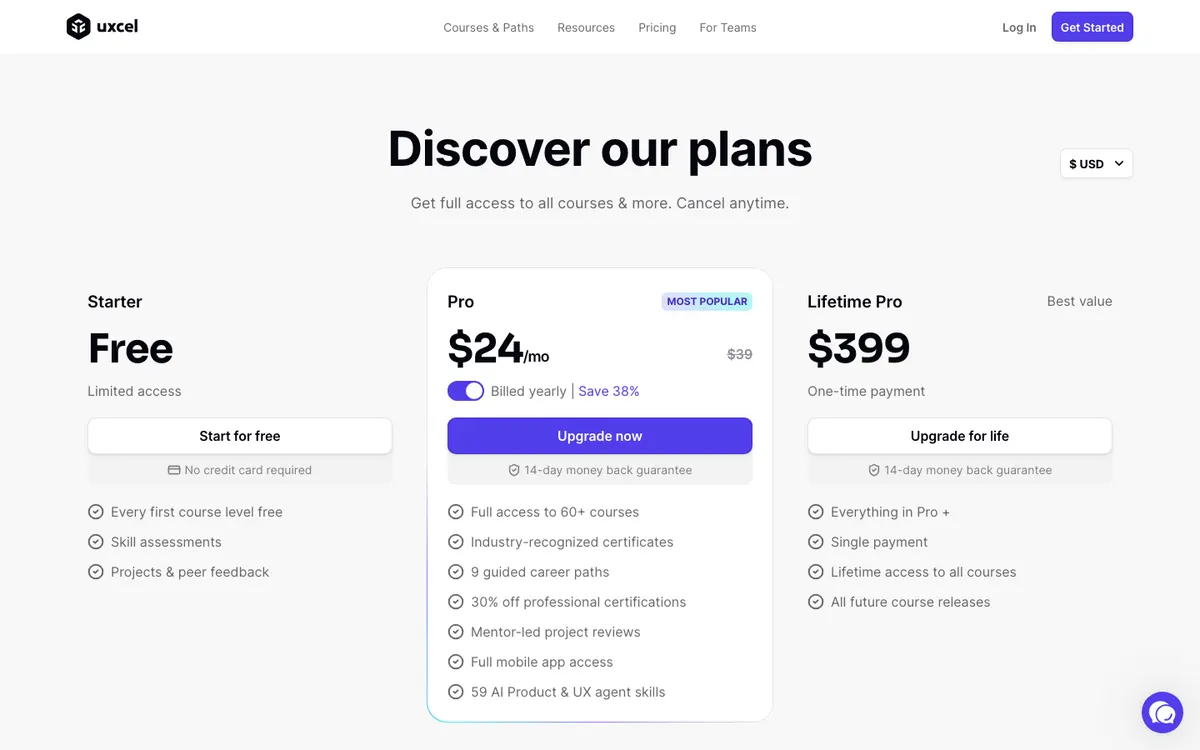
Pro opens the rest: full access to 60+ courses, 9 guided career paths, mentor-led project reviews, the full mobile app, discounts of up to 50% on live workshops, and 30% off Uxcel’s professional certification exams.
What it costs
| Plan | Price on October 30, 2026 |
|---|---|
| Starter | Free |
| Pro, monthly | $39 a month, cancel anytime |
| Pro, yearly | $288 a year (about $24 a month) |
| Lifetime Pro | $399, paid once |
That day, a banner offered 50% off the yearly plan until October 31, and the page also runs countdown offers for referrals. These change often. Treat $288 a year as the normal price and anything lower as a bonus.
Lifetime at $399 costs about as much as 16 months of yearly Pro. It only makes sense if you’re sure you’ll still be using Uxcel well into a second year; most people should start monthly or yearly and decide later. Monthly at $39 is the expensive way to stay, but the cheapest way to try Pro for a few weeks. If your employer pays for training, Uxcel lets you add the details your company needs to the invoice after payment.
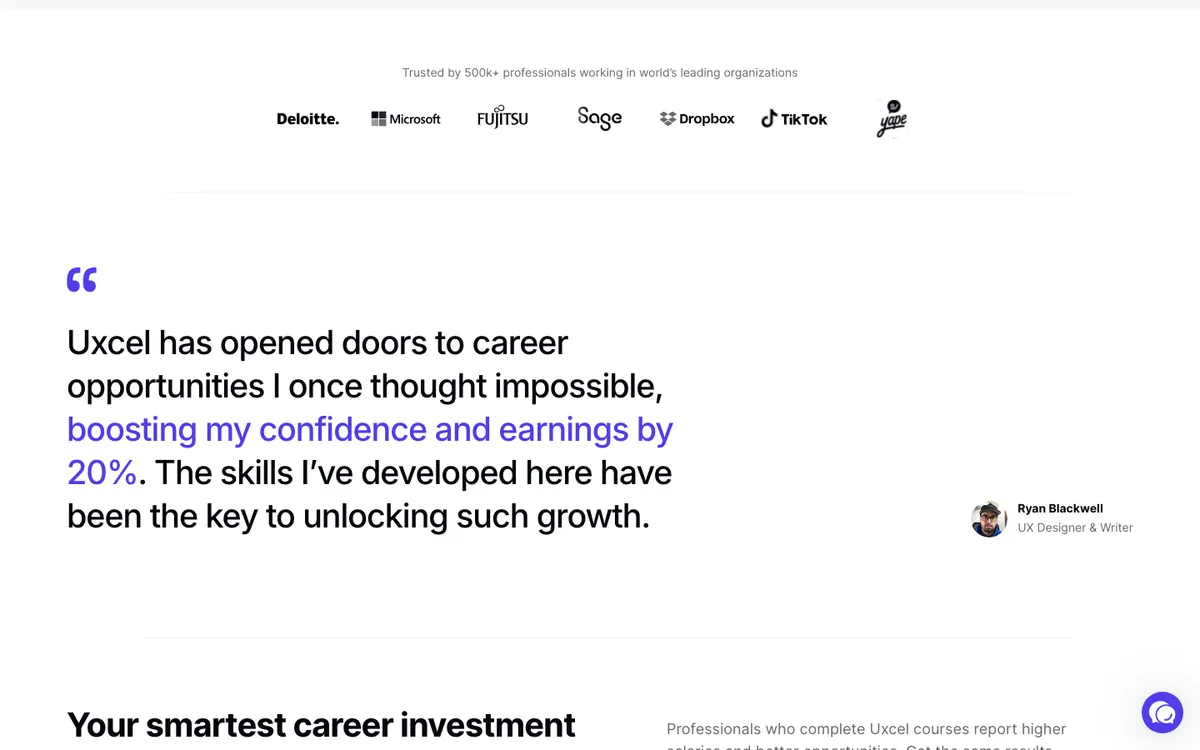
Yearly and Lifetime cards show a 14-day money-back guarantee; the pricing FAQ says refunds are typically not offered and are reviewed case by case; monthly is cancel-anytime
Monthly ($39), yearly ($288) or one-time Lifetime ($399); employers can be invoiced
No public discount was listed on the official site when we checked. We never publish unverified coupon codes.
Ten minutes a day, in practice
Here’s where the format shines. You’re on the train, phone in hand, and you finish two lessons on visual hierarchy before your stop. The next morning, a lesson on accessible color contrast. By Friday you’ve cleared a course level, and the vocabulary from that job ad starts to feel familiar. Uxcel says most members earn their first course certificate within one to two weeks.
For a developer who keeps getting design feedback they don’t fully follow, or a product manager who wants to hold their own in design reviews, that’s real value for $24 a month. It’s also useful for working designers who want to fill a specific gap, such as UX writing or accessibility, without signing up for a long course.
The format is less suited to the part of UX work that takes hours: interviewing users, synthesizing findings, iterating on a prototype. Pro includes project briefs and mentor reviews, which help, but most of the platform is still built around short interactive questions.
Certificates and certifications
There are two layers, and it’s worth keeping them apart.
Course certificates come with Pro when you finish a course. The professional certifications live on a separate site, Certified by Uxcel, and are bought separately: you don’t need a subscription to sit them, and Pro members get 30% off. There are foundational certifications (UX, product and AI practitioner), professional ones that ask for at least two years of experience, and specialty ones such as Figma or product analytics. If you fail, you can retake immediately at half price.
All of them are issued by Uxcel. That’s fine as a signal of effort on LinkedIn, but don’t expect a hiring manager to weigh it like an independent credential.
The catch: refunds and promises
The yearly and Lifetime cards say “14-day money back guarantee.” The FAQ on the same page says Uxcel typically doesn’t offer refunds and considers special circumstances case by case. Both can’t be the full story. If you buy yearly, keep a screenshot of the card and ask in writing within the 14 days.
The pricing page also quotes an $11,245 median salary increase among members. That figure comes from Uxcel’s own member study, so read it as marketing, not as a forecast for you.
Who it suits
Designers, developers and product people who want to learn UX and UI concepts in short daily sessions. Beginners curious about UX who want to test their interest on the free plan before paying for anything longer. Teams that want a light, trackable learning habit.
Videos about Uxcel
Who should look elsewhere
Career changers who need to land a first UX job. What gets interviews is a portfolio with full case studies, and Uxcel isn’t built to produce one. The Google UX Design Certificate on Coursera costs $49 a month after a 7-day free trial, takes under six months at under 10 hours a week according to Coursera, and has you finish three end-to-end projects in Figma. If you plan to take several Coursera programs, read our Coursera Plus review first.
Alternatives
We don’t rank another dedicated UX platform yet. For broader course catalogs, including design, compare the options in our online course platforms ranking.
Your next step
Open a free Starter account and take the skill assessment for the area you feel weakest in. If you’re still opening the app every day after a week, Pro yearly is the sensible buy. If you need a portfolio for job applications, put that money toward a project-based program instead.
Score breakdown
Interactive UX/UI courses, paths and certifications.
Popular design-learning platform; certificates are self-issued.
Free tier plus lifetime option.
Self-paced with mobile access.
Discord community and mentor reviews on Pro.
Weighted average of five criteria. Read our methodology.
FAQ
How much does Uxcel Pro cost?
On October 30, 2026, Pro was $39 a month or $288 a year (about $24 a month), and Lifetime Pro was $399 paid once. A banner offered 50% off the yearly plan until October 31; these offers rotate, so check the price on the checkout page.
Is the Uxcel certificate worth it for getting a UX job?
On its own, rarely. Course certificates and the separate professional certifications are issued by Uxcel, not by an independent body. Hiring managers mostly judge UX candidates on portfolio case studies, so use Uxcel to learn the concepts and spend at least as much time on real projects.
Can I get a refund from Uxcel?
It depends on the plan. The yearly and Lifetime cards show a 14-day money-back guarantee, but the pricing FAQ says Uxcel typically doesn't refund and reviews requests case by case. Start on the free plan, and if you buy yearly, ask for any refund in writing well inside the 14 days.
Sources
- https://uxcel.com/pricing
- https://uxcel.com/
- https://certified.uxcel.com/
- https://www.coursera.org/professional-certificates/google-ux-design
Prices and offers can change; confirm on the official site before you enroll.